
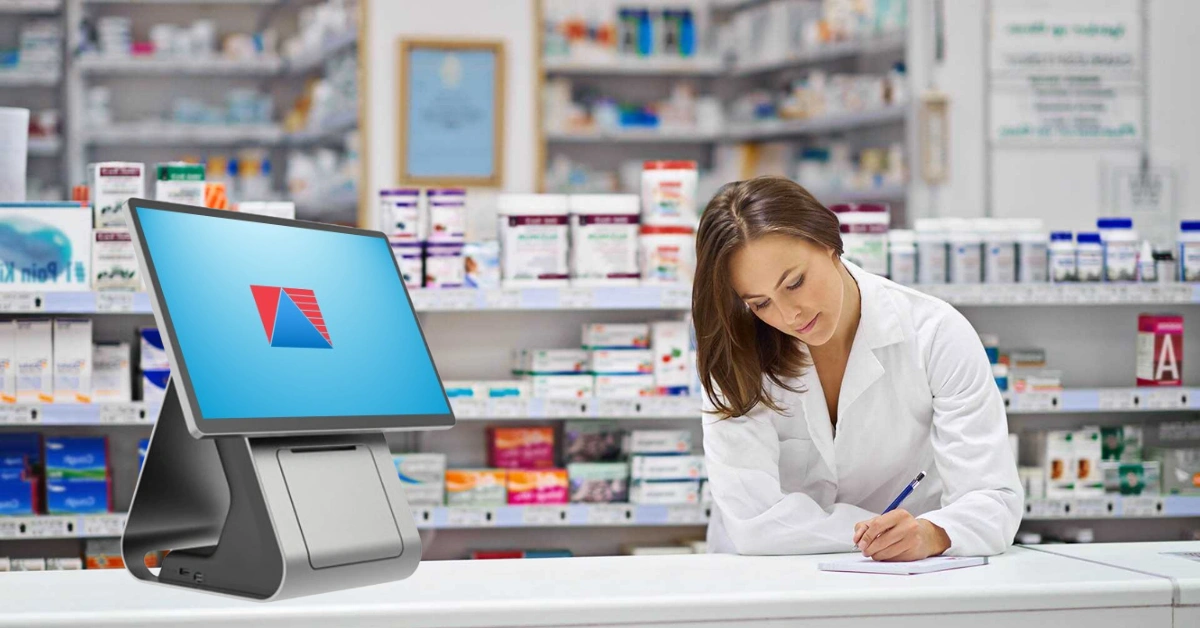
If you've ever watched a pharmacy counter during the 5 p.m. rush, you know it looks nothing like a regular checkout line. Someone's waiting on a refill, someone else has an insurance question, a pharmacist is double-checking an interaction, and the phone won't stop ringing. Now imagine running all of that on a system built for selling shampoo and snacks.
That's the problem a pharmacy POS system solves. Let's break down what it is, how it works, and how to pick a good one.
So, What Is a Pharmacy POS System?
A pharmacy POS (point of sale) system is the software and hardware that ring up sales while also handling everything unique to dispensing medication: prescriptions, insurance claims, patient records, batch and expiry tracking, and regulatory compliance.
Think of it as your regular cash register with a pharmacist's brain attached. The hardware is familiar: a barcode scanner, receipt printer, cash drawer, and card terminal, plus a label printer for prescriptions. The software is where the magic happens, tying every sale to your inventory management, your patient profiles, and your compliance records.
How Is It Different From a Regular Retail POS?
A friend who runs a small independent pharmacy started out with a generic retail POS because it was cheap and "good enough." Within a few months she was keeping prescription notes in a spreadsheet, tracking expiry dates on sticky notes, and reconciling insurance claims by hand every Friday night. Her cheap system was quietly costing her hours every week. (Swap in a real story of your own here if you have one.)
A standard retail system simply can't handle:
- Prescription processing: intake, verification, refills, and labeling
- Insurance billing: real-time claims and reconciliation
- Batch and expiry tracking: essential for recalls and reducing waste
- Controlled substance logs: with proper audit trails
- Patient profiles: allergies, medication history, and counseling notes
Retail POS tools are built for speed and simplicity. Pharmacy POS tools are built for safety and accuracy, with speed as a bonus.
How a Pharmacy POS System Works
Here's a typical transaction from start to finish:
- Prescription intake. It arrives on paper, electronically, or by phone and gets added to the patient's profile.
- Verification. The system flags drug interactions, allergies, and dosage issues before anything is filled.
- Insurance adjudication. The claim goes out in real time, and the copay is calculated instantly.
- Dispensing and labeling. The label prints, the medication is filled, and the batch number is recorded.
- Payment. The customer pays and gets a receipt.
- Inventory update. Stock levels drop automatically, and the system nudges you to reorder when you're running low.
That last step is quietly one of the best. No more end-of-month counting marathons just to discover you're out of a fast mover.
Key Features to Look For
Not all pharmacy POS systems are created equal. Here's what to prioritize.
Prescription management
Look for e-prescribing support, refill queues, and a workflow view that shows where every prescription stands. Anything that cuts down on "is my order ready?" phone calls is a win.
Insurance and claims processing
Real-time billing saves your team from chasing rejected claims days later. A purpose-built pharmacy POS handles claims as part of the normal dispensing flow, which also makes reconciliation far less painful.
Inventory control
This is where many pharmacies see the fastest payoff. Barcode scanning, expiry date tracking and low-stock alerts help you avoid both stockouts and write-offs. Good reports and analytics show your top sellers and your dead stock at a glance.
Compliance and security
Pharmacies handle sensitive health data, so audit trails, user permissions, and strong data security matter. In the Philippines, look for a system that is BIR-accredited so your tax reporting stays clean. In the U.S., the HHS HIPAA guidance covers privacy rules, and the FDA's Drug Supply Chain Security Act page explains traceability requirements. Check what applies where you operate, and make sure your vendor supports it.
Patient safety alerts
Allergy and interaction warnings aren't a luxury. I've heard pharmacists describe catching a serious interaction only because the system flagged it during a hectic afternoon. When the counter is slammed, a second set of eyes that never gets tired is worth a lot.
Loyalty and integrations
Automated refill reminders and loyalty perks keep patients coming back, which is how independents compete with big chains. Your POS should also connect to your accounting software and your online ordering or delivery tools, or you're just creating new manual work.
The Real Benefits for Your Pharmacy
Here's what pharmacies typically gain from switching to a purpose-built system:
- Fewer errors. Built-in checks catch problems before they reach the patient.
- Faster service. Shorter lines and quicker refills make for happier customers.
- Less waste. Better expiry tracking means fewer products tossed.
- Easier audits. Records are organized and retrievable in minutes, not days.
- Smarter decisions. Sales data shows what to stock, what to promote, and where your margins are.
Independent owners often say the biggest change isn't any single feature. It's getting their evenings back.
How to Choose the Right System
Keep this checklist handy while you compare options:
- Fit for your pharmacy type. Single store, multi-branch, or part of a wider retail business? Needs vary a lot.
- Compliance. Does it support your local regulations?
- Ease of use. If your team needs weeks of training, that's a red flag.
- Cloud vs. on-premise. Cloud systems offer remote access and automatic backups, which is why many pharmacies are moving that way.
- Support and track record. You'll want help during setup and again when things get busy, so look for a provider with staying power. Divergent POS, for example, has been serving Filipino businesses since 1997.
- Total cost. Count hardware, licensing, training, and fees, not just the monthly price. You can check pricing up front to compare.
Ask every vendor how long implementation takes, whether they'll migrate your existing data, and what happens if the internet goes down. And ask for a demo built around your real workflow, not a polished sales script. For more tips, browse the Divergent POS blog.
Common Mistakes to Avoid
- Choosing on price alone. The cheapest system often costs the most in workarounds.
- Skipping the demo. You'll learn more in 30 minutes of hands-on use than from any brochure.
- Forgetting training and data migration. A great system rolled out badly is still a bad experience.
Frequently Asked Questions
It processes sales and payments like any POS, but it also manages prescriptions, patient profiles, insurance or third-party billing, batch and expiry tracking, and compliance records. In short, it connects the pharmacy counter, the stockroom, and the back office in one system.
You can, but you'll likely end up with workarounds. Retail systems usually lack prescription workflows, drug interaction checks, expiry and batch tracking, and audit trails. Those gaps can mean more manual work and more risk, especially during audits or recalls.
It can be, if the vendor does the basics well: user permissions, audit trails, encrypted data, and regular automatic backups. Ask any provider how they protect patient data, who can access it, and what happens if your internet connection drops.
It depends on your size and setup. A single-branch pharmacy with a clean product list can move faster than a multi-branch operation with years of data to migrate. The biggest factors are data migration, hardware installation, and staff training, so ask your vendor for a realistic timeline before you commit.
Pricing varies with the number of terminals and branches, the hardware you choose, and the modules you need. When you compare quotes, look beyond the monthly fee to hardware, installation, training, and support so you know your total cost of ownership.
Ready to See It in Action?
A pharmacy POS system is the operational backbone of a modern pharmacy. It keeps patients safe, keeps you compliant, and keeps your day running smoothly.
Want to see it for yourself? Book a demo with Divergent POS and find out how much time your team could get back.
