
Picking a POS system is one of the few tool decisions that touches every part of your store: checkout, stock, staff, and taxes. And the choices are overwhelming. Every vendor says they're the best, and every demo looks great.
The truth is that the "top" POS depends on your store. So instead of crowning one winner, this guide walks through what to look for and where four popular options fit. Last updated: September 2026.
A quick disclosure: this guide is published by Divergent POS, so we've included our own product. We've tried to describe every system using the same criteria, including limitations, and we recommend you confirm details directly with each vendor.
In this article
- Quick picks
- What makes a great retail POS
- The top POS systems for retail stores
- Must-have features
- Hardware
- Pricing and hidden costs
- Which POS fits your store
- Compliance in the Philippines
- How to choose
- FAQ
Quick Picks
Here's the short version. There isn't one best system, only the best fit for a given store.
| System | Best for | Watch out for |
| Divergent POS | Retailers who want local, BIR-accredited hardware, software, and support from one provider | Suits an integrated package better than a DIY, phone-only setup |
| StoreHub | Cloud-based retail and cafe setups that want mall pre-accreditation and marketplace sync | Hardware and setup costs are separate from the subscription |
| Loyverse | Very small budgets and simple, phone-based selling | Advanced features are paid add-ons, so confirm compliance fit |
| Shopify POS | Businesses that sell online first and want in-store selling on the same platform | Pricing is in USD, and per-location fees add up |
What Makes a Great Retail POS?
Before the reviews, here's how we judged each one:
- Checkout speed and ease of use. Your team should learn it in a shift, not a week.
- Inventory depth. Variants, low-stock alerts, and stock transfers between branches.
- Reports and analytics. Best sellers, slow movers, and margins.
- Multi-store support. Central control if you have, or plan to have, more than one branch.
- Payments. Cards, e-wallets, and cash were handled smoothly.
- Offline mode. Your store shouldn't stop when the internet does.
- Hardware options. Scanners, printers, drawers, and terminals that work together.
- Compliance. Especially BIR accreditation in the Philippines.
- Support. Real help when something goes wrong on a Saturday afternoon.
- Total cost. Not just the monthly fee.
For local buyers, compliance and support often matter more than a long feature list.
The Top POS Systems for Retail Stores
1. Divergent POS
Best for: retailers who want hardware, software, installation, and support from one local provider.
Divergent has provided POS solutions in the Philippines since 1997, and its systems are BIR-compliant and used in major malls. It serves many kinds of retailers, from grocery and pharmacy to jewelry, appliance, and electronics stores. Its retail POS covers checkout, inventory, staff, and reporting in one system.
Key features:
- Reports and analytics, product mix analysis, and an audit trail
- Multi-store setup with centralized control
- Inventory management with low-stock notifications
- Park order, so you can save a transaction and resume it later
- Customer tracking and expense tracking from the cash drawer
- Selfie-based staff attendance
- Offline mode, with automatic syncing once you're back online
- A free online store to showcase products and accept orders
- A wide range of hardware
Pros: local support, mall accreditation experience, and an integrated hardware-and-software package.
Cons: it's built around a full package rather than a free, do-it-yourself app, so a very small seller who only wants to use a personal phone may find lighter tools simpler.
2. StoreHub

Best for: cloud-based retail and cafe setups that want mall pre-accreditation and marketplace integrations.
StoreHub's own materials say its system is BIR-accredited, pre-accredited with most major Philippine mall chains, and backed by a paid registration assistance service for PTU paperwork. It also syncs inventory with online marketplaces such as Shopee, Lazada, and TikTok Shop, which is handy if you sell in both places.
On cost, StoreHub's own comparison page lists software subscriptions starting at ₱1,874 a month when billed annually, with hardware and accessories such as a cash drawer, printer, and scanner priced separately.
Pros: cloud-based, marketplace integrations, and mall pre-accreditation.
Cons: you'll need to budget for hardware and setup on top of the subscription, and the pricing figures come from a vendor-published page that may have changed.
3. Loyverse
Best for: very small stores that want to start free and sell from a phone or tablet.
Loyverse's pricing page describes a free core POS with sales analytics, essential inventory, a loyalty program, and multi-store management, plus optional paid add-ons for things like employee management and advanced inventory. An independent review sums it up as well suited to small businesses on a tight budget, though its functionality is limited and integrations are add-ons.
Pros: free to start, simple to learn, and built-in loyalty.
Cons: advanced tools cost extra, and you should confirm directly whether it meets your BIR and mall requirements before committing.
4. Shopify POS
Best for: businesses that sell online first and want in-person selling on the same platform.
Shopify's pricing page shows a Starter plan at $5 a month for casual in-person selling and a Retail plan at $89 a month that includes one POS Pro location. You can check the current details on Shopify's Philippines POS pricing page. Its big draw is a single platform for selling in person, online, on social media, and through digital marketplaces.
Pros: strong for online-plus-in-store selling.
Cons: pricing is in USD, additional locations and card fees add up, and you'll want to confirm how it handles BIR-compliant receipts for a Philippine store.
Must-Have Features in a Retail POS
Whichever system you choose, make sure it covers the essentials:
- Fast checkout with barcode scanning and quick keys
- Real-time inventory and low-stock alerts
- Product variants and promotions like sizes, colors, and discounts
- Customer tracking and loyalty so you know your regulars
- Staff permissions and attendance
- Reports and analytics you'll actually read
- Multi-branch management
- Offline mode and data backup
- Tax-ready receipts and compliance
Good POS software ties these together, and add-on POS modules let you add things like inventory management and multi-store control as you grow.
POS Hardware: What You'll Need
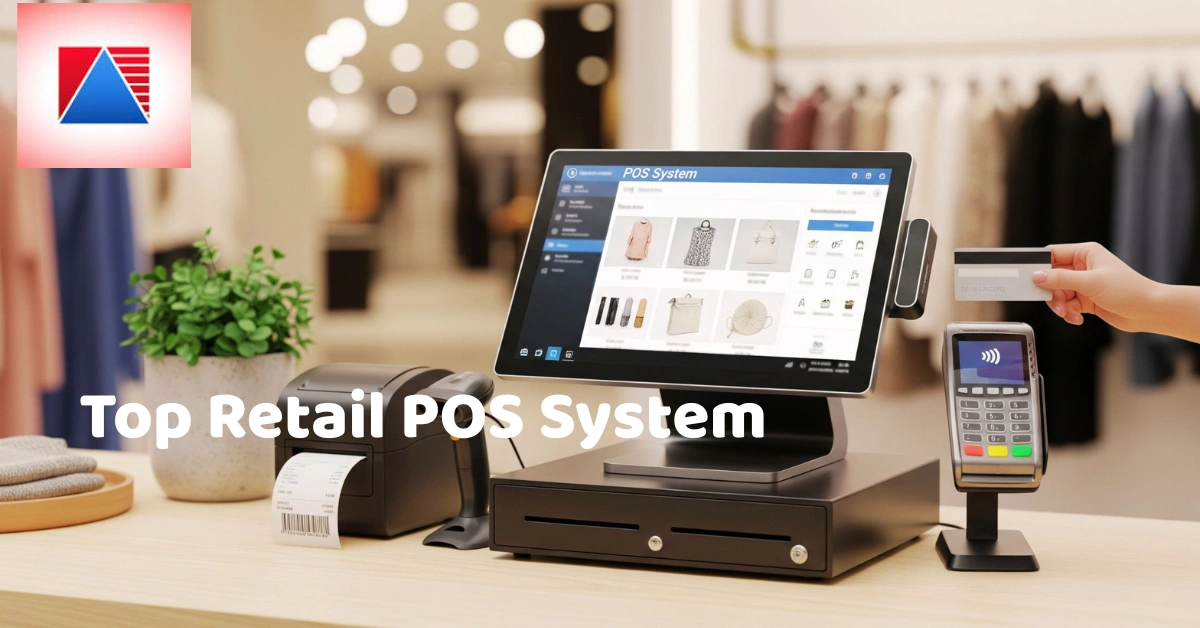
A typical retail setup includes a terminal or tablet, a barcode scanner, a receipt printer, a cash drawer, and a card or e-wallet terminal. You can browse POS hardware to see what a full setup looks like.
Ask whether hardware is bundled with the software or bought separately, whether you can use equipment you already own, and what the warranty and replacement process looks like.
Pricing and Hidden Costs
A friend who opened a small accessories shop chose her POS almost entirely on the monthly fee. It looked cheap until she added a printer, a scanner, a cash drawer, paid extra to unlock inventory, and then discovered she needed help with mall accreditation. Her "cheap" option ended up costing more than the one she'd rejected. (Swap in a real story of your own if you have one.)
Common pricing models include monthly subscriptions, one-time licenses, hardware bundles, and transaction fees. Costs people often forget include:
- Setup and training
- Add-on modules and extra terminals
- Support plans
- Hardware repairs and replacements
- Accreditation or registration assistance
Ask every vendor for a written quote that covers the whole first year, and compare that, not just the monthly price. You can also check Divergent POS pricing to see how its plans are structured.
Which POS Is Best for Your Type of Store?
- Small single shop. Prioritize ease of use, simple reports, and affordable hardware.
- Grocery or convenience store. You need speed, barcode scanning, and strong inventory. A grocery POS is built around high volumes and fast-moving goods.
- Appliance or electronics store. Higher-value items need careful record-keeping, which an appliance POS is designed to support.
- Jewelry or specialty store. High-value inventory needs strict tracking and audit trails.
- Pharmacy. Expiry and batch control matter as much as checkout.
- Multi-branch chain. Look for centralized control and unified reporting.
Compliance and Accreditation in the Philippines
For Philippine retailers, POS accreditation isn't a nice-to-have. Your system needs to produce compliant receipts and reports, and many malls expect accredited systems. Look for a provider whose system is BIR-accredited, and confirm the current requirements with the Bureau of Internal Revenue. Ask each vendor about their accreditation status and about any help they provide with registration.
Want to See How It Works in Your Store?
Reviews only go so far. If you'd like to talk through your setup with a real person, contact the Divergent POS team.
How to Choose: A Simple Checklist
- List your must-haves. Decide what you can't run your store without.
- Set a first-year budget. Include hardware, setup, and support.
- Shortlist two or three systems. More than that gets overwhelming.
- Request demos using your real products. Generic demos hide problems.
- Check references and reviews. Ask other retailers what they'd change.
- Ask about setup, training, and support. Find out who helps when something breaks.
- Confirm compliance and contract terms. Get accreditation and cancellation details in writing.
Questions to ask every vendor: How long does setup take? Can you migrate my product list? What happens if the internet drops? What support do I get, and how do I reach it? What does the first year cost in total?
Common Mistakes When Choosing a Retail POS
- Choosing on price alone. The cheapest option often costs more in workarounds.
- Skipping the demo. Thirty minutes of hands-on time beats any brochure.
- Ignoring support quality. You'll need help at the worst possible moment.
- Not planning for growth. A second branch shouldn't mean starting over.
- Overlooking hardware compatibility. Make sure everything works together before you buy.
Frequently Asked Questions
What is the best POS system for a small retail store?
It depends on your budget, your products, and your compliance needs. Free or low-cost tools suit very small, simple shops, while a full package with local support and accreditation suits stores that need reliability, mall compliance, and room to grow.
How much does a retail POS system cost?
Costs vary widely. Look at the software subscription, hardware, setup, training, and any add-ons together, and get a written quote for the first year.
Do I need BIR accreditation for my POS?
In the Philippines, compliant receipts and reporting matter, and many malls require accredited systems. Confirm the requirements with the BIR and ask each vendor about their accreditation.
Can I use a tablet as a POS?
Yes, many systems run on tablets or phones. Just make sure your printer, scanner, and cash drawer are compatible, and that the system works reliably during busy periods and internet outages.
What's the difference between a POS and a cash register?
A cash register mainly records sales and holds cash. A POS also tracks inventory, produces detailed reports, and manages staff, customers, and multiple branches.
Ready to Find Your Fit?
The top POS for your retail store is the one that matches your products, your budget, and your compliance needs. Take your time, compare more than one option, and see it working with your own items before you decide.
Want to see how Divergent POS handles your store? Book a demo with Divergent POS and find out how much time your team could get back.
