
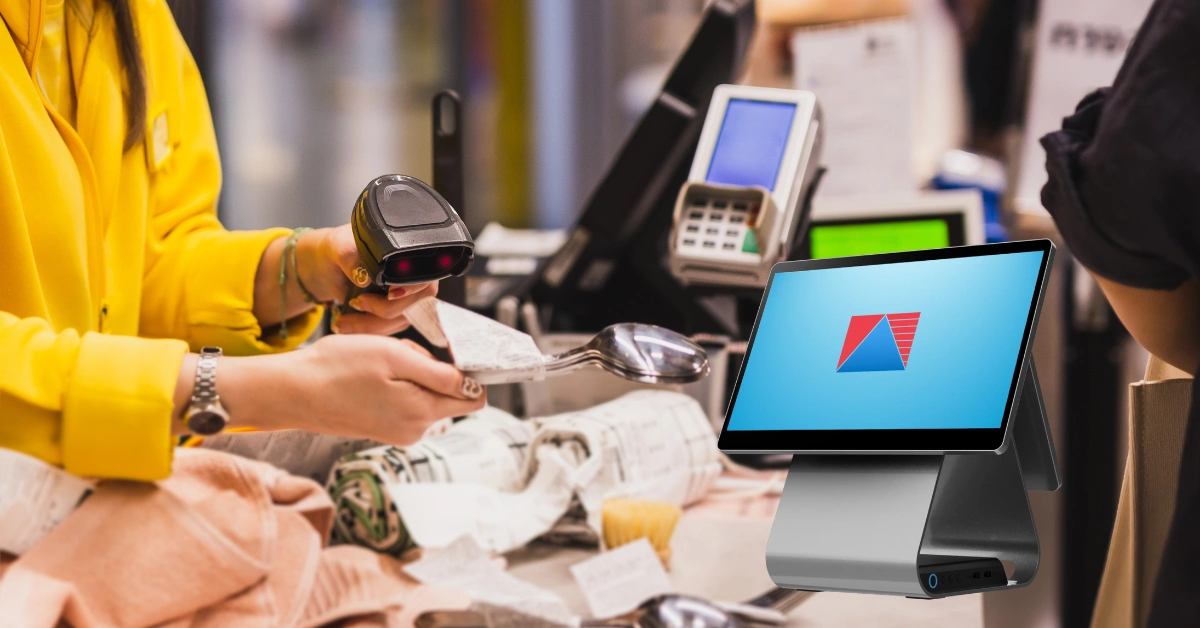
If you've ever watched a cashier scan a product and hear that familiar little beep, you've already seen a barcode scanner in action.
It looks simple. Point the scanner at a barcode, press a button, and the product appears on the POS screen.
But there is actually more happening behind that quick scan.
A barcode scanner helps businesses identify products, speed up checkout, improve inventory management, and reduce the need for repetitive manual data entry. When connected to a POS or inventory management system, it can become an important part of everyday business operations.
For a small store with a few dozen products, manually entering product information may seem manageable. But imagine a grocery store, pharmacy, electronics shop, or retail business handling hundreds or thousands of products.
Typing every product code manually would quickly become frustrating.
That's where barcode scanning becomes especially useful.
In this guide, we'll explain what a barcode scanner is, how it works, the different types of barcode scanners, how scanners work with POS systems, their benefits, and how to choose the right one for your business.
What Is a Barcode Scanner?
A barcode scanner is a device that reads information encoded in a barcode and sends that information to a computer, POS system, inventory system, or other connected software.
The barcode itself usually represents an identifier rather than storing every piece of information about a product.
For example, a product might have a barcode that represents a particular product number. When you scan it, the POS system uses that number to find the corresponding product record.
That product record could contain:
- Product name
- SKU
- Barcode
- Selling price
- Cost
- Category
- Tax information
- Stock quantity
- Supplier
- Product variations
According to GS1, barcodes are machine-readable representations of information that can be scanned using optical technologies, and they are widely used to improve the speed and accuracy of data entry.
You can learn more about how a complete POS software system can connect sales, inventory, reporting, and other business functions.
How Does a Barcode Scanner Work?
The basic process is surprisingly straightforward.
Imagine you're working at a retail checkout.
A customer puts a bottle of shampoo on the counter.
Instead of typing a long product number into the POS, you point the scanner at the barcode.
Here's what happens.
Step 1: The Scanner Reads the Barcode
The scanner uses light or an imaging sensor to capture the barcode.
Traditional scanners may use laser-based technology, while modern scanners often use image-based technology.
Step 2: The Scanner Decodes the Barcode
The scanner interprets the pattern and converts it into a series of numbers, letters, or other characters.
For example, the scanner might read something like:
4801234567890
The exact format depends on the barcode type.
Step 3: The Data Goes to the POS
The scanner sends the decoded information to the connected device or software.
This can happen through connections such as:
- USB
- Bluetooth
- Wireless connection
- Other supported interfaces
Step 4: The POS Finds the Product
The POS searches its product database for the barcode.
If the barcode is properly assigned to a product, the system can display the corresponding product information.
Step 5: The Transaction Is Updated
The item is added to the customer's transaction.
Depending on the system, completing the sale can also update inventory records.
So the process can look like this:
Scan Product → Identify Product → Display Price → Add to Sale → Complete Transaction → Update Inventory
That's much faster than typing everything manually.
What Information Does a Barcode Contain?
This is something many people misunderstand.
A barcode doesn't necessarily contain the product's entire information.
Think of it more like an identification number.
For example:
Barcode: 4801234567890
Your POS database might associate that number with:
Product: Premium Coffee 250g
Price: ₱250
Category: Coffee
Stock: 42 units
Supplier: ABC Trading
The barcode scanner simply reads the barcode number.
The POS or inventory software is responsible for finding and displaying the information associated with it.
This is why accurate product setup is so important.
If the barcode isn't correctly assigned to the product in your system, the scanner may work perfectly but the POS may still show "Product Not Found."
What Are the Different Types of Barcode Scanners?
Barcode scanners aren't all the same.
The right type depends on how and where your business operates.
Handheld Barcode Scanner
This is probably the type most people imagine when they hear "barcode scanner."
It's held in the employee's hand and pointed at the product.
Handheld scanners are commonly used in:
- Retail stores
- Grocery stores
- Pharmacies
- Convenience stores
- Specialty shops
They're practical because employees can easily scan products of different sizes and shapes.
Wired Barcode Scanner
A wired scanner typically connects to the POS using USB.
One major advantage is simplicity.
You plug it in, configure it if necessary, and start scanning.
There is also no scanner battery to charge.
For a fixed checkout counter where the scanner doesn't need to travel far, a wired model can be a practical choice.
Wireless Barcode Scanner
Wireless scanners give employees more freedom to move around.
They're useful for businesses where employees need to scan products away from the checkout counter.
For example, warehouse employees may use a wireless scanner while:
- Receiving deliveries
- Counting inventory
- Picking products
- Packing orders
- Moving stock
The main things to consider are battery life, wireless range, connectivity, and charging.
Presentation Barcode Scanner
A presentation scanner is designed for hands-free operation.
Instead of holding the scanner and pressing a trigger for every item, employees can present the barcode in front of the scanner.
This can be useful in high-volume checkout environments.
Fixed-Mount Barcode Scanner
Fixed-mount scanners are installed in a specific location.
They're often used in automated or specialized environments such as:
- Warehouses
- Conveyor systems
- Self-service applications
- Automated checkout processes
Mobile Barcode Scanner
Some businesses use smartphones or tablets to scan barcodes.
This can be convenient when employees already carry mobile devices and don't need a dedicated scanner for every task.
However, dedicated scanners can still be preferable for high-volume scanning because they're designed specifically for that purpose.
1D vs. 2D Barcode Scanners
One of the most important things to understand when buying a scanner is the difference between 1D and 2D barcodes.
What Is a 1D Barcode?
A 1D barcode is a traditional linear barcode made up of lines and spaces.
You commonly see them on packaged products.
Examples include:
- UPC
- EAN
- Code 39
- Code 128
GS1 describes linear barcodes such as UPC/EAN as common 1D barcodes used to identify products in retail environments.
What Is a 2D Barcode?
A 2D barcode stores information using a two-dimensional pattern.
QR codes are probably the most familiar example.
Other 2D formats include:
- Data Matrix
- PDF417
- QR Code
2D barcodes can support more complex information than traditional linear barcodes, depending on the format and application.
Which One Should Your Business Use?
If you only need to scan traditional product barcodes, a 1D scanner may be sufficient.
But if your business needs to scan QR codes or other 2D formats, you'll want a scanner that supports 2D scanning.
When buying equipment, don't assume that every scanner can scan every type of barcode.
Check compatibility first.
What Is the Difference Between a Barcode Scanner and a QR Code Scanner?
A QR code is a type of 2D barcode.
Traditional 1D scanners generally aren't designed to read QR codes.
Modern 2D scanners, however, can often read both traditional 1D barcodes and 2D codes.
That makes them more flexible for businesses that may use different types of codes.
For example, a business could use barcodes for products and QR codes for:
- Digital payments
- Loyalty programs
- Promotions
- Product information
- Customer engagement
The exact functionality depends on the scanner and the software connected to it.
What Are Barcode Scanners Used For?
Barcode scanners are used in many industries, not just retail.
Retail Stores
Retail businesses commonly use scanners for:
- Checkout
- Product lookup
- Inventory counting
- Stock receiving
- Price verification
A Retail POS system can combine barcode scanning with sales, inventory, product management, and reporting.
Grocery Stores
Grocery stores can process a very large number of products and transactions every day.
Barcode scanning helps employees identify products quickly and can reduce repetitive manual entry.
A Grocery POS system can connect barcode scanning with inventory and checkout workflows.
Pharmacies
Pharmacies can have hundreds or thousands of products to manage.
Scanning can help staff quickly identify products and retrieve their information.
A Pharmacy POS solution can also support inventory workflows such as product tracking and stock monitoring.
Electronics Stores
Electronics businesses often manage products with detailed information such as:
- Brand
- Model
- SKU
- Serial number
- Barcode
- Cost
- Selling price
An E-POS system can help organize product information, sales, inventory, purchasing, and other operations for electronics businesses.
Jewelry Stores
Jewelry businesses deal with valuable products and detailed inventory records.
Barcode identification can help businesses organize products and track inventory.
A Jewelry POS system can help businesses manage high-value inventory, transactions, product variations, and reporting.
Warehouses
Warehouses are another major use case.
Employees may scan products when they arrive, move between locations, get picked for an order, or leave the facility.
Wireless scanners can be particularly useful when employees need to move around a large warehouse.
Restaurants and Cafés
Restaurants don't necessarily need barcode scanners for every transaction.
However, they can be useful when the business sells packaged products, bottled drinks, retail merchandise, or other barcoded items.
They can also be useful for inventory-related tasks.
For restaurants, a Restaurant POS system can connect sales and inventory processes while supporting the restaurant's broader workflow.
How Does a Barcode Scanner Work With a POS System?
This is where barcode scanning becomes particularly useful for business owners.
A scanner by itself only reads the barcode.
The real value comes from connecting it to software that knows what the barcode represents.
Imagine you own a small retail store.
You have a product called:
Wireless Mouse
Its barcode is registered in your POS.
A customer brings it to the counter.
The cashier scans it.
The POS finds the barcode and displays:
Wireless Mouse — ₱799
The cashier adds it to the transaction.
After the customer pays, the sale is recorded.
If inventory tracking is enabled, the stock quantity can also be updated.
That means one scan can eliminate several manual steps.
Barcode Scanners and Inventory Management
Barcode scanning can be especially helpful for inventory management.
Instead of manually writing down product codes during stock counting, employees can scan items.
For example:
Scan → Count → Record → Continue
This can make stock counts more organized.
Barcode scanning can also help with receiving.
When a delivery arrives, employees can scan products and compare them against the expected inventory records.
Businesses that need more detailed stock control can combine barcode hardware with an inventory management system.
This can help businesses monitor stock levels, movements, and replenishment needs.
Benefits of Using a Barcode Scanner
So, is a barcode scanner actually worth using?
For many product-based businesses, it can be.
Faster Checkout
Scanning a barcode is generally faster than manually typing a product code.
That becomes increasingly important when customers are waiting in line.
Fewer Manual Entry Errors
Typing long product numbers creates opportunities for mistakes.
Scanning reduces the need to manually enter those numbers.
Easier Inventory Counting
Employees can scan products instead of manually recording every item.
Better Product Identification
A properly configured barcode provides a consistent way to identify products.
Improved Employee Productivity
Employees spend less time entering repetitive product information and more time handling customers or other operational tasks.
Better Inventory Visibility
When barcode scanning is connected to inventory software, businesses can get a clearer picture of product movement.
How to Choose the Right Barcode Scanner
Don't start by asking, "What's the most expensive scanner I can buy?"
Start by asking:
"What does my business actually need?"
Consider Your Barcode Types
Do you need:
- 1D?
- 2D?
- QR codes?
- Multiple barcode formats?
Choose a scanner that supports the formats you actually use.
Consider Your Business Size
A small retail counter may only need one wired scanner.
A warehouse may need multiple wireless scanners.
Consider Scanning Volume
If you're scanning 20 products a day, your requirements will be very different from a grocery store scanning thousands of products.
Consider Connectivity
Check whether the scanner supports the connection your POS uses.
Common options include USB and Bluetooth.
Consider Durability
If your scanner will be used continuously throughout the day, durability matters.
Warehouse environments may require equipment that can handle more demanding conditions than a quiet office.
Check POS Compatibility
This is one of the most important considerations.
Before purchasing a scanner, confirm that it works with your POS software and hardware.
A scanner that looks great on paper isn't very useful if it doesn't work properly with your system.
How Much Does a Barcode Scanner Cost?
Barcode scanner prices vary depending on the model and features.
Factors that can affect the price include:
- Brand
- 1D or 2D capability
- Wired or wireless connectivity
- Scanning speed
- Scanning distance
- Durability
- Compatibility
- Additional features
But don't look at the scanner price by itself.
You may also need:
- POS terminal
- Touchscreen
- Receipt printer
- Cash drawer
- Barcode scanner
- Payment equipment
- POS software
The total cost of your POS setup is what matters.
If you're comparing different POS options, reviewing the POS pricing and packages can help you understand the software investment separately from your hardware requirements.
Common Barcode Scanner Problems
Even a good scanner can occasionally have problems.
The Scanner Doesn't Read the Barcode
Check:
- Whether the barcode is damaged
- Printing quality
- Scanner cleanliness
- Scanning angle
- Barcode compatibility
Try scanning another product.
If other products scan successfully, the problem may be with the specific barcode.
The Scanner Reads the Code but the Product Isn't Found
This is usually a product database issue rather than a scanner issue.
Check whether the barcode has been correctly assigned to the product in the POS.
The Scanner Keeps Disconnecting
For wired scanners, check the USB cable and connection.
For wireless scanners, check:
- Battery level
- Bluetooth pairing
- Wireless range
- Connection settings
The Wrong Product Appears
If scanning a barcode consistently brings up the wrong product, check the product database.
The barcode may have been assigned incorrectly.
Barcode Scanner Best Practices
A few simple habits can make barcode scanning much more reliable.
Keep Barcodes Clear
Damaged or poorly printed barcodes may be difficult to scan.
Maintain Accurate Product Records
Make sure each barcode is assigned to the correct product.
Train Employees
Employees should know how to position products and troubleshoot basic scanning issues.
Keep Backup Equipment
If your checkout depends heavily on scanning, having a spare scanner can be useful.
Regularly Review Inventory
Scanning only helps if your product database and inventory records are maintained properly.
Remember, technology doesn't replace good processes.
A scanner can read the wrong barcode just as quickly as it can read the right one.
Frequently Asked Questions About Barcode Scanners
A barcode scanner is used to read information encoded in a barcode and send that information to connected software such as a POS or inventory system. Businesses commonly use scanners for checkout, inventory counting, stock receiving, product identification, and warehouse operations.
Yes. Many barcode scanners are designed to work with POS systems. When properly configured, the scanner can send the barcode number to the POS, which then looks up the corresponding product information.
A 1D scanner is designed for traditional linear barcodes, while a 2D scanner can read two-dimensional formats such as QR codes and may also support traditional 1D barcodes. The right choice depends on the barcode formats your business uses.
A scanner needs to support 2D scanning to read QR codes. Many modern 2D barcode scanners can scan both traditional product barcodes and QR codes.
The scanner itself generally does not need internet access simply to read a barcode. However, the software or POS system connected to it may require internet access for certain online features, synchronization, cloud services, or integrations.
What is a barcode scanner used for?
A barcode scanner is used to read information encoded in a barcode and send that information to connected software such as a POS or inventory system. Businesses commonly use scanners for checkout, inventory counting, stock receiving, product identification, and warehouse operations.
Can a barcode scanner work with a POS system?
Yes. Many barcode scanners are designed to work with POS systems. When properly configured, the scanner can send the barcode number to the POS, which then looks up the corresponding product information.
What is the difference between a 1D and 2D barcode scanner?
A 1D scanner is designed for traditional linear barcodes, while a 2D scanner can read two-dimensional formats such as QR codes and may also support traditional 1D barcodes. The right choice depends on the barcode formats your business uses.
Can a barcode scanner scan QR codes?
A scanner needs to support 2D scanning to read QR codes. Many modern 2D barcode scanners can scan both traditional product barcodes and QR codes.
Does a barcode scanner need internet access?
The scanner itself generally does not need internet access simply to read a barcode. However, the software or POS system connected to it may require internet access for certain online features, synchronization, cloud services, or integrations.
Barcode Scanners Are More Than Just a Checkout Tool
A barcode scanner may look like a small piece of hardware, but its impact can extend far beyond the checkout counter.
When connected to the right POS and inventory system, scanning can help businesses:
- Identify products faster
- Process transactions more efficiently
- Reduce repetitive data entry
- Simplify stock counting
- Improve inventory visibility
- Organize product information
- Track product movement
The important thing is to look at the scanner as part of your overall business system.
The scanner reads the barcode.
Your POS and inventory software turn that scan into useful business information.
That's where the real value comes from.
Final Thoughts
So, what is a barcode scanner?
Simply put, it's a device that reads barcode information and sends it to a connected system.
For a customer, it might look like a quick beep at the checkout counter.
For a business, that beep can represent much more: product identification, a sales transaction, an inventory update, and a more organized workflow.
Whether you operate a retail store, grocery, pharmacy, electronics shop, jewelry business, warehouse, or another product-based business, barcode scanning can help reduce repetitive manual work and make everyday operations easier to manage.
The key is choosing a scanner that matches your barcode types, business volume, environment, and POS software.
And if you're building a complete POS setup, don't think about the scanner separately from the rest of your system. Hardware, software, inventory, sales, reporting, and payments should work together as much as possible.
Ready to Connect Barcode Scanning With Your POS?
If you're looking for a POS system that can bring sales, inventory, product management, reporting, and barcode scanning together, it's worth seeing how the workflow works before making a decision.
Divergent POS provides POS software and hardware options for Philippine businesses, including scanners and other POS equipment. Its platform is designed to support sales, inventory, reporting, multiple branches, and other business operations.
Book a demo on Divergent POS and see how barcode scanning can fit into your business's checkout and inventory workflow.
Book a Demo on Divergent POS today and discover a more organized way to manage your sales and inventory.
