
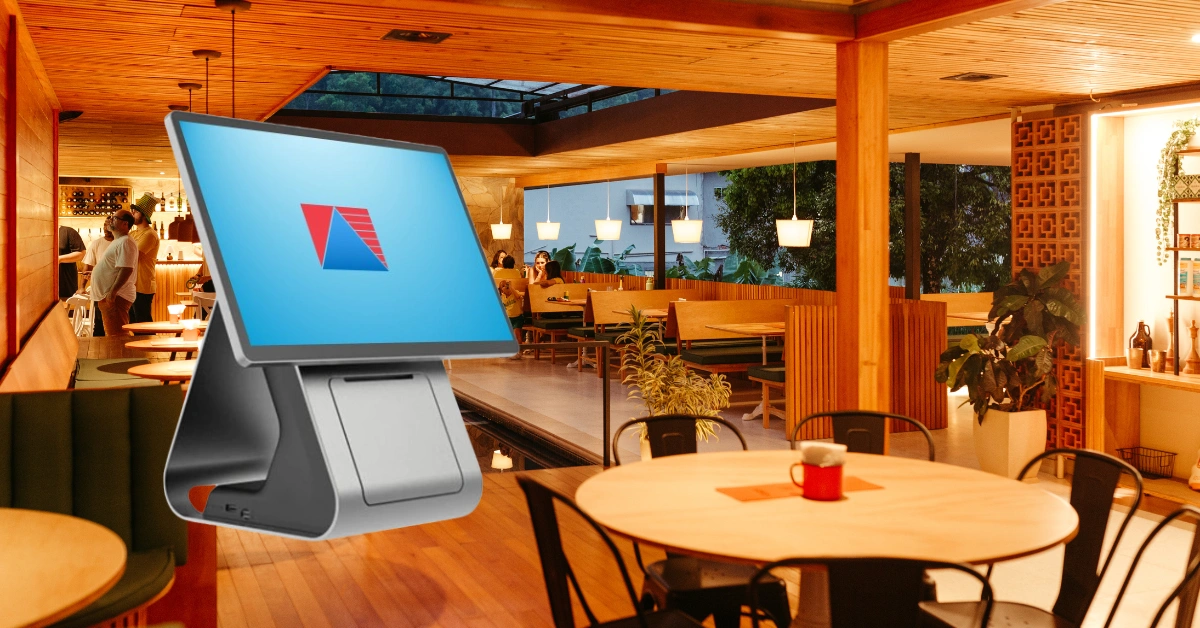
Running a restaurant involves much more than serving great food. You have orders coming in, tables to manage, kitchen staff to coordinate, payments to process, inventory to monitor, employees to manage, and sales to track.
When all of these tasks are handled manually, things can get complicated quickly.
This is where a restaurant POS system comes in.
A restaurant POS, or Point of Sale system, is software and hardware designed to help restaurants manage sales and day-to-day operations. Modern restaurant POS systems can handle much more than payments. They can connect ordering, tables, kitchen operations, inventory, employees, reporting, and payments in one system.
If you've ever seen a busy restaurant suddenly get overwhelmed during lunch or dinner service, you can understand why organization matters. One missing order or incorrect item can affect the kitchen, cashier, server, and customer at the same time.
A well-designed POS system can help keep these moving parts organized.
What Is a Restaurant POS?
A restaurant POS system is a point-of-sale solution designed specifically for restaurants and food-service businesses.
At its most basic level, it allows staff to enter customer orders and process payments. However, modern restaurant POS systems can also manage tables, send orders to the kitchen, track inventory, manage employees, and generate sales reports.
According to the Bureau of Internal Revenue, a POS system is a type of sales-receiving system that can record and track customer orders, process card transactions, connect with other systems, manage inventory, and record sales or services with system-generated invoices or receipts. (Bir CDN)
In other words, a restaurant POS can become the central point where many restaurant operations come together.
If you're new to POS technology, you can also learn more about POS software and how it can be used to manage different types of businesses.
How Does a Restaurant POS System Work?
The process is fairly simple from the customer's perspective, but there can be a lot happening behind the scenes.
1. The Customer Places an Order
A server or cashier enters the customer's order into the POS.
For example, a customer might order:
- One chicken meal
- Two iced teas
- One burger
- Extra cheese
- No onions
Instead of writing everything down on paper and manually calculating the total later, the employee enters the order directly into the system.
2. The Order Is Sent to the Kitchen
Depending on the restaurant's setup, the order can be sent to a kitchen printer or Kitchen Display System (KDS).
This allows kitchen staff to see what needs to be prepared.
Kitchen display systems can help organize incoming orders and provide kitchen staff with order status and timing information. (Oracle)
For a busy restaurant, this can make a noticeable difference. The server doesn't have to walk back and forth to the kitchen just to communicate every order.
3. The Kitchen Prepares the Food
The kitchen receives the order and begins preparation.
A restaurant POS can also help organize orders based on different kitchen stations, depending on the system.
For example, a large restaurant might have separate stations for:
- Grill
- Fryer
- Drinks
- Desserts
- Pizza
- Bar
The exact setup depends on the restaurant.
4. The Customer Pays
Once the customer is ready to pay, the POS calculates the bill.
The restaurant may accept:
- Cash
- Credit cards
- Debit cards
- QR payments
- E-wallets
- Other supported payment methods
Some systems can also handle split payments, which can be useful when a group of customers wants to divide the bill.
5. The Transaction Is Recorded
After payment, the transaction is recorded in the POS.
This creates a sales record that can later be used for reporting.
If the POS is connected to inventory, the system can also update relevant stock levels.
6. The Restaurant Can Review the Sale
At the end of the shift or business day, management can review sales information.
Instead of manually adding up hundreds of receipts, the manager can use reports generated by the POS.
That's one of the biggest differences between a modern restaurant POS and a traditional cash register.
What Are the Key Features of a Restaurant POS?
Not every restaurant needs the same features, but there are several functions commonly found in restaurant POS systems.
Order Management
Order management is one of the most important features.
A restaurant POS can help staff manage:
- Dine-in orders
- Takeout orders
- Delivery orders
- Menu modifiers
- Add-ons
- Special instructions
- Order status
For example, a customer might ask for a burger without onions and with an extra patty. Instead of relying on handwritten notes, the employee can enter those instructions into the order.
Table Management
Restaurants with dine-in service can use POS systems to organize their tables.
Depending on the system, staff may be able to see:
- Available tables
- Occupied tables
- Tables waiting for food
- Tables waiting for payment
- Open orders
This can be particularly helpful during busy periods.
Menu Management
Restaurant menus aren't always as simple as a list of products.
A single item might have multiple sizes, flavors, toppings, or add-ons.
For example:
Iced Coffee
- Small
- Medium
- Large
- Extra shot
- Vanilla
- Caramel
A restaurant POS can organize these options so employees don't have to manually type every variation.
Kitchen Display System
A KDS can display orders directly in the kitchen.
Instead of using paper tickets, kitchen staff can view orders on a screen and update their status.
This can help improve communication between the front of house and kitchen. Modern restaurant platforms can also connect online orders with the POS and kitchen workflow.
Payment Management
Restaurant POS systems can bring different payment methods into the checkout process.
Depending on the provider and integrations, this may include:
- Cash
- Cards
- QR payments
- E-wallets
- Split payments
The exact payment options available will depend on the POS provider and payment partners.
Inventory Management
Inventory can be one of the biggest challenges for restaurants.
Unlike a simple retail store, restaurants often deal with ingredients that are consumed as meals are prepared.
For example, selling one burger could use:
- One bun
- One burger patty
- Cheese
- Lettuce
- Tomato
- Sauce
A POS with inventory and recipe capabilities can help connect menu sales with ingredient usage where supported.
You can learn more about how inventory management systems can help businesses keep track of stock and product movement.
Employee Management
Restaurant POS systems can also provide tools for employee management.
Depending on the system, managers may be able to:
- Create employee accounts
- Set user permissions
- Track cashier activity
- Manage shifts
- Review transactions
- Restrict access to certain functions
This can give restaurant owners more visibility into daily operations.
Sales Reports
Reports turn transactions into useful information.
A restaurant manager may want to know:
- How much did we sell today?
- Which menu items sold the most?
- How much was paid in cash?
- How much was paid digitally?
- Which employees processed transactions?
- How did sales compare with previous periods?
A POS can make these questions much easier to answer.
Why Do Restaurants Use POS Systems?
The main reason restaurants use POS systems is simple: running a restaurant involves a lot of moving parts.
A POS can help connect those parts.
Faster Order Processing
Instead of writing orders manually and calculating totals by hand, employees can enter orders directly into the system.
This can help speed up service, especially during busy periods.
Fewer Order Mistakes
Nobody wants to receive a meal they didn't order.
Digital order entry can help reduce mistakes caused by unclear handwriting or verbal communication.
Of course, a POS isn't a magic solution. Employees still need proper training, and restaurants need clear procedures.
Better Communication With the Kitchen
When orders are sent directly to a kitchen printer or KDS, the kitchen can receive information faster.
This can help servers and kitchen staff stay on the same page.
Easier Inventory Monitoring
Restaurants lose money when ingredients are wasted, misplaced, or unavailable when customers want them.
Inventory tools can help managers monitor stock and identify items that need attention.
Better Sales Visibility
Instead of waiting until the end of the week to manually review receipts, managers can access sales information more quickly.
This can be particularly helpful when deciding which menu items to promote or which products may need to be adjusted.
What Types of Restaurants Can Use a POS?
Restaurant POS systems aren't limited to large restaurants.
Full-Service Restaurants
Full-service restaurants can use POS systems for tables, servers, orders, modifiers, payments, and kitchen communication.
Quick-Service Restaurants
Quick-service restaurants often need fast order processing and efficient payment workflows.
A POS can help reduce unnecessary steps at the counter.
Cafés and Coffee Shops
Cafés often have menus with numerous customizations.
A café POS system can help manage drinks, sizes, flavors, add-ons, and other menu variations.
Fast-Food Restaurants
Fast-food businesses typically handle a high volume of orders.
Speed and accuracy become especially important during peak hours.
Bars and Pubs
Bars may need additional functionality for beverage management, tabs, inventory, and customer transactions.
Food Stalls and Small Food Businesses
Even smaller food businesses can benefit from organized sales records and simple inventory tracking.
Restaurant Groups and Multiple Branches
Businesses with multiple locations can use centralized reporting and branch management features where supported.
A restaurant POS system can help businesses organize their restaurant operations around their specific workflow.
Restaurant POS Hardware You May Need
Restaurant POS software is only part of the setup.
Depending on your restaurant, you may need:
POS Terminal
This is where staff enter orders and process transactions.
Touchscreen Monitor or Tablet
Touchscreen devices can make order entry faster and more intuitive.
Receipt Printer
Used to print customer receipts where printed receipts are required or preferred.
Cash Drawer
Used for cash transactions.
Kitchen Printer
Prints orders for kitchen staff.
Kitchen Display System
Displays orders electronically in the kitchen.
Customer Display
Shows customers information about their transaction where supported.
Payment Terminal
Allows customers to pay using supported card or digital payment methods.
Not every restaurant needs all of these devices. A small food stall may need only a simple terminal and printer, while a large restaurant may need several terminals and kitchen displays.
Restaurant POS and Inventory Management
Inventory deserves special attention because food businesses have a unique challenge.
You aren't simply selling products that sit on a shelf.
You're often buying ingredients and turning those ingredients into menu items.
For example, a restaurant might purchase:
- Rice
- Chicken
- Cooking oil
- Vegetables
- Sauces
- Spices
Those ingredients eventually become meals.
A POS connected to inventory can help restaurant owners understand how sales affect stock levels.
Tracking Ingredients
Restaurants can monitor ingredient quantities and stock movements.
Managing Recipes
Where supported, recipes can connect menu items to ingredients.
This can help provide a clearer picture of ingredient usage.
Monitoring Waste
Restaurants can record spoiled, damaged, expired, or wasted ingredients.
This can help managers understand where inventory losses are occurring.
Preventing Stockouts
Running out of a popular menu item in the middle of a busy service isn't ideal.
Inventory monitoring can help managers identify items that need to be replenished.
Can a Restaurant POS Work Without the Internet?
This is an important question for restaurant owners.
Some POS systems support offline functionality, while others rely more heavily on an internet connection.
Imagine a busy Saturday night. The restaurant is full, customers are waiting, and suddenly the internet connection drops.
If your POS has appropriate offline capabilities, the restaurant may be able to continue handling certain transactions while connectivity is unavailable.
However, offline capabilities vary considerably between POS providers.
Before purchasing a system, ask:
- Can I process sales offline?
- Can I print receipts offline?
- How are offline transactions stored?
- When does synchronization happen?
- What happens if the connection remains unavailable for several hours?
Don't assume that every POS handles offline transactions in the same way.
Restaurant POS and Payments in the Philippines
Payment preferences have changed significantly, and restaurant customers may expect convenient payment options.
Depending on your setup, you may want to support:
- Cash
- Debit cards
- Credit cards
- QR payments
- E-wallets
The right payment setup depends on your customers, payment providers, and POS integrations.
For Philippine restaurant owners, POS selection also needs to take applicable BIR requirements into account.
The BIR currently maintains an Enhanced Electronic Sales (eSales) System for reporting gross monthly sales per machine for covered taxpayers using registered CRM or POS machines.
The BIR also maintains procedures and registration processes related to POS machines and sales receipting software. (Bureau of Internal Revenue)
Because tax and invoicing requirements can change, restaurant owners should verify the requirements that apply to their specific business directly with the BIR or a qualified tax professional.
How Much Does a Restaurant POS Cost?
There's no single price for a restaurant POS because the total cost depends on what your restaurant needs.
You may need to consider:
Software
Some POS providers charge monthly or annual software fees.
Hardware
You may need to purchase terminals, printers, cash drawers, kitchen displays, or other equipment.
Installation
Some businesses may need professional setup and configuration.
Training
Employees may need training before the system goes live.
Payment Processing
Payment providers may charge transaction or processing fees.
Additional Locations
Multi-branch businesses may have additional software or hardware requirements.
When comparing POS systems, don't look only at the monthly subscription.
Think about the total cost of ownership.
A cheaper system may become more expensive if it requires additional hardware, complicated setup, or paid features that your restaurant needs.
How to Choose the Right Restaurant POS System
Choosing a restaurant POS shouldn't start with the question, "What's the cheapest option?"
Start with:
"What does my restaurant actually need?"
Look at Your Restaurant Workflow
How do customers place orders?
How does the kitchen receive orders?
How are payments handled?
How do managers review sales?
Understanding your workflow makes it easier to identify the right POS features.
Check Restaurant-Specific Features
A general POS may process sales, but restaurants often need additional features such as:
- Table management
- Menu modifiers
- Kitchen integration
- Split bills
- Order types
- Recipe management
Consider Inventory
If your restaurant has a large ingredient inventory, make sure the system can support your inventory workflow.
Test Ease of Use
Your employees will use the system every day.
If it takes too long to learn how to enter an order, mistakes and frustration can follow.
A clean, straightforward interface can be just as important as having a long list of features.
Check Offline Capabilities
Ask exactly what happens if your internet connection goes down.
Think About Growth
Maybe you have one restaurant today.
But what happens if you open a second or third branch?
Choosing a scalable system can prevent you from having to replace your entire POS setup later.
Review Support
Ask what happens when something goes wrong.
Is support available during business hours?
Can someone help with setup?
Is employee training included?
These questions can matter just as much as the software itself.
Common Restaurant POS Mistakes to Avoid
Restaurant owners can make several common mistakes when choosing a POS.
Choosing Based Only on Price
The lowest price doesn't always mean the lowest overall cost.
Buying Features You Don't Need
More features aren't automatically better.
Choose features that solve actual business problems.
Ignoring Inventory
Sales and inventory are closely connected in restaurants.
Don't choose a POS without considering how you will manage ingredients and stock.
Not Training Employees
Even the best POS won't work well if employees don't understand how to use it.
Not Testing the System
Before committing, try the system yourself.
Enter an order. Apply a modifier. Process a payment. Print a receipt. Check a report.
See how it feels.
Frequently Asked Questions About Restaurant POS
A restaurant POS is a point-of-sale system designed specifically for restaurants. It can manage orders, payments, tables, menus, kitchen workflows, inventory, employees, and sales reporting depending on the system.
A restaurant POS can process customer orders and payments while also supporting functions such as table management, kitchen communication, inventory tracking, employee permissions, and sales reporting.
Some restaurant POS systems support offline functionality, allowing certain transactions to continue when the internet is unavailable. However, offline features differ between providers, so restaurants should verify the exact capabilities before choosing a system.
The cost depends on software, hardware, payment processing, installation, training, support, and the number of locations or terminals required. It's best to calculate the total cost rather than comparing subscription prices alone.
Small restaurants can also benefit from a POS system. Even a small operation may need to track sales, payments, inventory, and employee activity. The important thing is choosing a system that matches the restaurant's size and workflow.
Final Thoughts: What Is a Restaurant POS?
A restaurant POS is much more than a digital cash register.
It's a system that can connect orders, tables, kitchen operations, payments, inventory, employees, and reporting in one place.
For a small restaurant, it can help organize everyday transactions. For a growing restaurant group, it can provide greater visibility across multiple locations.
The right system depends on your restaurant's actual needs.
Before choosing one, think about your workflow, menu, inventory, payment methods, kitchen setup, employees, reporting requirements, and future growth.
And don't forget to consider what happens when things don't go according to plan such as an internet outage, a busy dinner rush, or a sudden increase in orders.
A good POS should fit the way your restaurant operates rather than forcing your restaurant to completely change the way it works.
Ready to See a Restaurant POS in Action?
Reading about restaurant POS systems is useful, but seeing one operate with your actual business workflow can be even more helpful.
Book a demo with Divergent POS and explore how a restaurant POS can help manage orders, payments, inventory, reporting, and daily restaurant operations.
Whether you're running a small food business, café, full-service restaurant, quick-service restaurant, or multiple branches, a demo can help you understand which POS features are relevant to your operation.
Book a Demo with Divergent POS and see how a modern restaurant POS can help simplify your business operations.
