
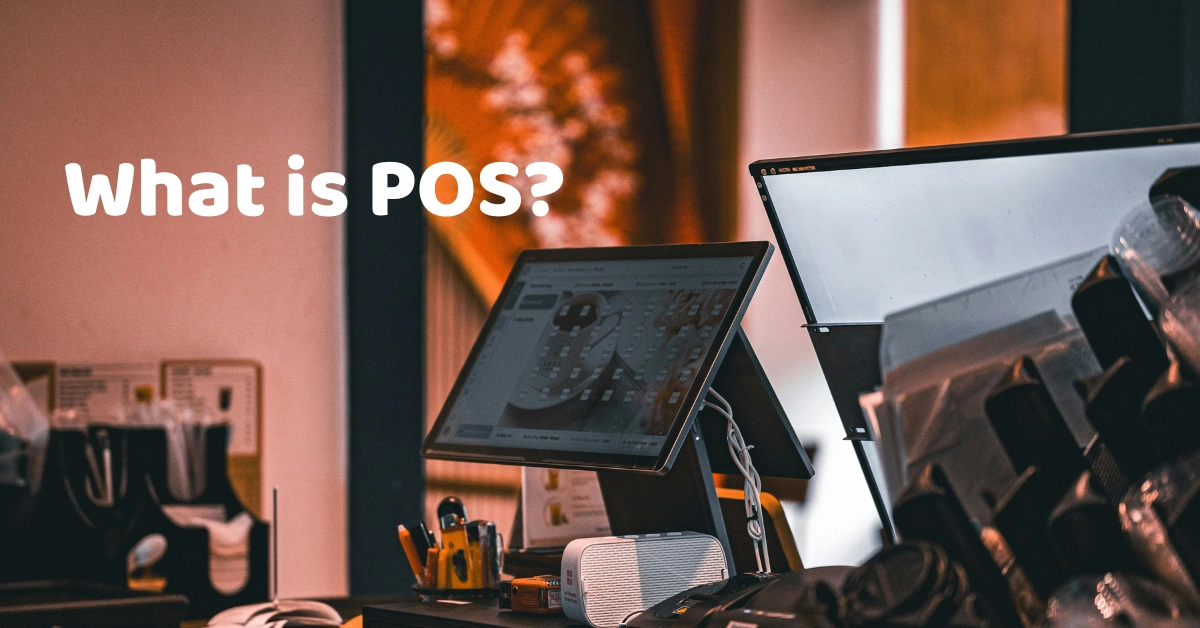
If you've ever paid for a meal at a restaurant, bought groceries, ordered coffee, or checked out at a retail store, you've probably interacted with a POS system even if you didn't realize it.
POS stands for Point of Sale. At its simplest, it is the place where a customer pays for a product or service. But modern POS systems have evolved far beyond the traditional cash register.
Today, a POS system can help businesses process sales, manage inventory, accept payments, monitor employees, generate reports, and organize day-to-day operations.
For a small business owner, this can make a huge difference. Instead of having sales records in one spreadsheet, inventory in another file, and receipts stored in a drawer, a POS system can bring many of these processes together in one platform.
So, what exactly is POS, how does it work, and does your business really need one? Let's break it down.
What Does POS Mean?
POS means Point of Sale.
The term refers to the point where a transaction between a business and a customer takes place. For example, when you buy a shirt from a retail store, order food at a restaurant, or purchase products from a pharmacy, the transaction is completed at the point of sale.
A POS system, however, is the technology used to manage that transaction.
A modern POS can record what was sold, calculate the total, apply discounts, process payments, print or send a receipt, and update inventory.
For businesses, this means a POS isn't simply a machine for collecting money. It can become an important part of daily operations.
If you're interested in understanding the software behind these systems, you can also explore this guide to POS software and how it helps businesses.
What Is a POS System?
A POS system is a combination of software and hardware designed to help businesses process and manage sales transactions.
Depending on the business, a POS system may include:
- POS software
- Computer, tablet, or touchscreen terminal
- Barcode scanner
- Receipt printer
- Cash drawer
- Payment terminal
- Customer display
- Inventory management tools
- Sales reports and analytics
For example, a grocery store may use barcode scanners and inventory tracking, while a restaurant may need table management, kitchen order processing, and menu modifiers.
This is why there isn't one POS setup that works exactly the same way for every business.
A retail POS system may focus heavily on products, barcodes, stock levels, and promotions, while a restaurant POS may place greater emphasis on orders, tables, menus, and kitchen operations.
How Does a POS System Work?
The process is usually straightforward.
1. The Customer Selects a Product or Service
The cashier or staff member selects the item from the POS system or scans its barcode.
For restaurants, employees may select menu items, add-ons, sizes, or special instructions.
2. The POS Calculates the Transaction
The system calculates the total amount based on the products or services selected.
Depending on the setup, it can also handle taxes, discounts, promotions, service charges, and other applicable adjustments.
3. The Customer Pays
The customer chooses an available payment method.
This could include:
- Cash
- Debit or credit card
- QR payments
- E-wallets
- Other integrated payment methods
4. The Transaction Is Recorded
Once payment is completed, the POS records the transaction.
This creates a digital sales record that can later be included in reports.
5. Inventory Can Be Updated
If the POS is connected to inventory management, selling an item can automatically reduce its available stock.
This is particularly useful for businesses with hundreds or thousands of products.
For businesses that want to connect sales with stock management, an inventory management system can make it easier to monitor stock levels and product movement.
6. Reports Become Available
Business owners can review sales information and other operational data through reports.
Instead of asking, "How much did we sell today?" and manually counting receipts, you can use the system to retrieve the information much faster.
Why Is a POS System Important for Businesses?
One of the biggest advantages of a POS system is that it connects different parts of a business.
Imagine a small retail store that records every sale manually.
At the end of the day, someone has to count the cash, check receipts, update inventory, calculate sales, and prepare a report.
Now imagine doing that every day as the business gets busier.
That's where a POS system becomes useful.
Faster Transactions
A POS can make checkout faster by allowing employees to scan products, select items, and calculate totals automatically.
For restaurants and cafés, faster order processing can also help employees serve more customers during busy periods.
Businesses operating in food service can explore how a restaurant POS system can support ordering, payments, and restaurant operations.
Better Inventory Management
Inventory is one of those areas where small mistakes can become expensive.
A product gets sold but isn't removed from the inventory record. A purchase isn't recorded correctly. A stock count is entered incorrectly.
Over time, these small differences can create major discrepancies.
A POS with inventory management can help businesses track stock movements and identify low-stock items.
This is especially important for businesses such as grocery stores, where products are constantly moving in and out of inventory. A dedicated grocery POS system can combine checkout and inventory workflows in one system.
More Organized Sales Records
Instead of relying entirely on handwritten receipts or spreadsheets, businesses can maintain organized transaction records.
This can make it easier to review sales by date, product, cashier, payment method, or branch, depending on the POS system.
Useful Business Reports
A POS can also help answer practical business questions:
- Which products sell the most?
- What are today's sales?
- Which payment methods are being used?
- Which items are running low?
- How are different branches performing?
- What are the sales trends over time?
These insights can help business owners make decisions based on actual transaction data.
What Are the Main Features of a POS System?
Different POS providers offer different features, but modern systems commonly include several core functions.
Sales and Transaction Management
The primary function is processing sales and keeping transaction records.
A POS can help manage orders, payments, receipts, returns, voids, and other transaction activities depending on its configuration.
Inventory Management
Inventory features can help businesses monitor stock levels, product movements, purchases, adjustments, and low-stock items.
For a grocery or retail store, this can be particularly important because inventory may change throughout the day.
Product Management
Businesses can organize products by category, price, SKU, barcode, variant, or other attributes.
Restaurants may also manage menus, modifiers, sizes, and add-ons.
Employee Management
Some POS systems allow businesses to create employee accounts and assign different permissions.
For example, a cashier may be allowed to process sales while only managers can access certain reports or perform specific administrative actions.
Reports and Analytics
Reports turn transaction data into information that business owners can actually use.
Common reports include sales summaries, product performance, inventory reports, cashier reports, and payment summaries.
Multi-Branch Management
For businesses with multiple locations, a centralized POS system can make it easier to monitor branches from one system.
This can be especially useful when an owner doesn't want to visit every store just to check daily sales.
What Types of Businesses Use POS Systems?
POS systems aren't limited to retail stores.
Retail Stores
Retail POS systems commonly support barcode scanning, product management, inventory tracking, discounts, and sales reporting.
Restaurants
Restaurant POS systems can manage orders, tables, menus, payments, and kitchen workflows.
For example, a restaurant POS can help connect front-of-house ordering with kitchen operations.
Cafés
Cafés often need quick order processing, menu management, modifiers, inventory tracking, and customer management.
If you're operating a coffee shop or café, you can learn more about the features commonly used in a café POS system.
Grocery Stores
Grocery businesses usually deal with large product catalogs and frequent transactions, making barcode scanning and inventory management particularly useful.
Pharmacies
Pharmacies can use POS systems to manage product sales, inventory, pricing, and transaction records.
Businesses interested in this type of workflow can explore a pharmacy POS system designed around pharmacy business operations.
Salons and Spas
Service businesses can use POS systems to manage services, customer transactions, staff, payments, and sales reports.
A salon POS system can be particularly useful for businesses managing services, staff, customer transactions, and payments.
Specialty Businesses
POS systems can also be configured for businesses such as jewelry stores, appliance stores, electronics stores, and laundry businesses.
The important thing is to choose a system that matches the actual workflow of the business rather than simply choosing the system with the longest feature list.
POS System vs. Traditional Cash Register
A traditional cash register primarily focuses on collecting and recording payments.
A modern POS system can do much more.
A cash register might help you answer:
"How much money is in the drawer?"
A POS system can potentially help you answer:
"What did we sell, when did we sell it, which employee processed it, how much inventory remains, which payment method was used, and how are our sales performing?"
That's the major difference.
A POS turns the checkout process into a source of useful business information.
Can a POS System Work Without the Internet?
Some POS systems offer offline functionality, while others depend more heavily on an internet connection.
Offline capability can be particularly useful for businesses where an internet interruption shouldn't completely stop sales.
For example, imagine you're running a busy café and the internet suddenly goes down during the lunch rush. You still need to take orders, process transactions, and keep serving customers.
A POS with appropriate offline functionality can help businesses continue operating and synchronize relevant data once connectivity is restored.
The exact offline capabilities vary by provider, so this is something businesses should ask about before purchasing a system.
POS Systems and Businesses in the Philippines
For Philippine businesses, choosing a POS system also means considering applicable BIR requirements.
The Bureau of Internal Revenue (BIR) maintains an Enhanced Electronic Sales (eSales) System, which is used for reporting gross monthly sales per machine for covered taxpayers using registered Cash Register Machines (CRMs) or Point-of-Sale (POS) machines.
The specific tax, invoicing, registration, and reporting requirements applicable to a business can depend on its circumstances. Because BIR rules and procedures can change, business owners should verify their current obligations directly with the BIR or with a qualified tax professional.
In other words, don't choose a POS based only on whether it has an attractive interface or a long list of features. Consider the operational and compliance requirements that apply to your business as well.
How Do You Choose the Right POS System?
The cheapest POS isn't necessarily the right POS, and the system with the most features isn't necessarily the right one either.
Start by asking what your business actually needs.
Consider Your Industry
A restaurant has different requirements from a pharmacy. A salon has a different workflow from a grocery store.
Look for a system designed around your business processes.
Consider Your Inventory
If you sell hundreds or thousands of products, inventory management may be one of the most important features to evaluate.
Consider Your Payment Methods
Make sure the system supports the payment methods your customers actually use.
Consider Offline Capability
If your business needs to continue operating during internet interruptions, ask specifically how offline transactions work.
Consider Reporting
Don't overlook reporting. A POS should help you understand your business, not simply process payments.
Consider Future Growth
If you're planning to add another branch, more employees, more products, or an online sales channel, make sure the POS can scale with you.
Consider the Total Cost
Don't look only at the monthly software fee.
Consider the complete cost of ownership, including:
- POS hardware
- Software subscription
- Payment processing
- Installation
- Training
- Technical support
- Additional branches
- Optional features or integrations
This gives you a much more realistic picture of what the POS will cost your business.
Is a POS System Worth It for a Small Business?
A small business doesn't necessarily need an overly complicated POS system.
But even a small store can benefit from better sales records, inventory visibility, automated calculations, and easier reporting.
Think of it this way: the goal of a POS isn't simply to make your business look more modern.
The goal is to reduce unnecessary manual work and give you better control over what is happening in the business.
As the business grows, those benefits can become even more valuable.
Frequently Asked Questions About POS
POS stands for Point of Sale. It refers to the place and system where a customer completes a purchase. A modern POS system can do more than process payments; it can also manage sales, inventory, employees, customers, and business reports.
A POS system is used to process sales and manage business transactions. Depending on the system, it can also handle inventory, discounts, payments, receipts, employee permissions, customer information, and sales reporting.
Some POS systems support offline functionality, allowing businesses to continue processing certain transactions when the internet is unavailable. The exact offline features vary between providers, so it's important to check how offline transactions and data synchronization work before choosing a system.
No. POS systems are used across many industries, including restaurants, cafés, groceries, pharmacies, salons, spas, electronics stores, jewelry stores, and other businesses. Different POS systems can be configured around the specific workflow and requirements of each industry.
The cost of a POS system depends on the software, hardware, number of users or branches, payment integrations, and additional features required. Businesses should consider the total cost, including hardware, software, installation, training, support, and payment processing fees, rather than looking only at the monthly subscription price.
Final Thoughts: What Is POS?
So, what is POS?
A POS, or Point of Sale system, is a technology solution that helps businesses process sales and manage important parts of their operations.
Modern POS systems can do much more than handle payments. They can connect sales, inventory, products, employees, customers, payments, and reporting in one platform.
Whether you operate a restaurant, café, retail store, grocery, pharmacy, salon, spa, or another type of business, the right POS system can help make everyday operations more organized and easier to manage.
The key is choosing a POS based on how your business actually works not simply choosing the system with the most features.
If you're exploring your options, take the time to compare the features, workflow, inventory capabilities, reporting tools, payment options, offline functionality, support, and overall cost.
Ready to See How a POS Can Work for Your Business?
Reading about POS systems is helpful, but seeing one in action can make the difference.
Book a demo with Divergent POS and see how a modern POS system can help manage sales, inventory, reporting, and everyday business operations.
Whether you're running a restaurant, café, retail store, grocery, pharmacy, salon, or another type of business, a demo can help you understand how the system fits your actual workflow.
Book a Demo with Divergent POS and explore how a POS can help simplify your business operations.
