


A friend of mine was setting up a small bakery café, and her supplier told her, "Don't worry, we'll get you a Landi." She nodded politely, then texted me from the parking lot: "Is that the software? The screen? The card machine? What did I just agree to?"
It's a fair question. In the POS world, one word often stands in for the machine, the app, and the whole setup. So here's a plain-English guide to what a Landi POS device is, what it does, what it doesn't, and what to check before you buy one.
What Is a Landi POS Device?
The Simple Definition
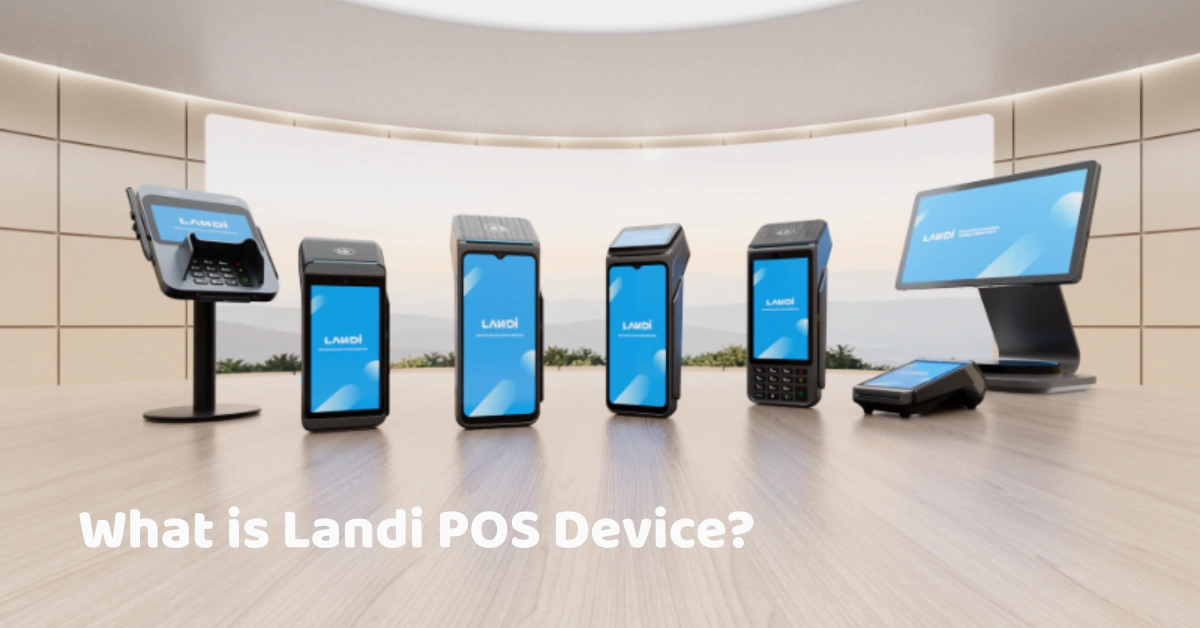
A Landi POS device is a smart point-of-sale terminal made by LANDI, a payment-device manufacturer. It usually combines a touchscreen, a processor, and a receipt printer, often with payment tools like NFC and a QR scanner, in one unit that runs on Android.
Think of it as the physical front desk of your sales process: the thing your cashier taps, the thing that prints the receipt, and the thing customers see at checkout.
Hardware Plus Software
Here's the part that clears up most of the confusion: Landi is hardware. The device needs POS software to run sales, track inventory, apply discounts, and produce reports. The hardware and the software together make up the POS system. You can read more about how the software side works in our POS software overview.
If you remember one thing, remember this: the device is the body, and the software is the brain.
Who Makes It
LANDI says it was founded in 2005 and introduced the first Android payment terminal in 2015, which set the stage for the "smart POS" trend. In January 2024 it launched LANDI Global to push into international markets, with regional teams based in Singapore, Paris, and Atlanta. You can read the company's own announcement in The Paypers' coverage of LANDI Global. LANDI also describes itself as having delivered more than 100 million units, though that's a company claim, not an independent figure.
How a Landi POS Device Works
A sale on a smart POS terminal goes roughly like this:
- The cashier opens the POS app on the device, which runs on Android.
- Items are entered by tapping the screen, scanning a barcode, or searching.
- The customer pays by cash, card, e-wallet, or QR code, depending on how your system and payment provider are set up.
- The device prints the receipt through its built-in printer, if it has one.
- The data syncs through Wi-Fi, Ethernet, or 4G to your reports and inventory.
A few details depend on the software, not the device. Whether you can keep selling offline, for example, is decided by your POS app. Similarly, how card payments are processed depends on your payment provider and the device's payment features. Ask both your software provider and your payment provider exactly how this works for your setup.
The Main Device Families
LANDI makes several kinds of devices. The specs below come from the company's launch materials and distributor listings, and they vary by variant, so always check the official data sheet for the exact model you're considering.
C20 Pro Desktop Terminals
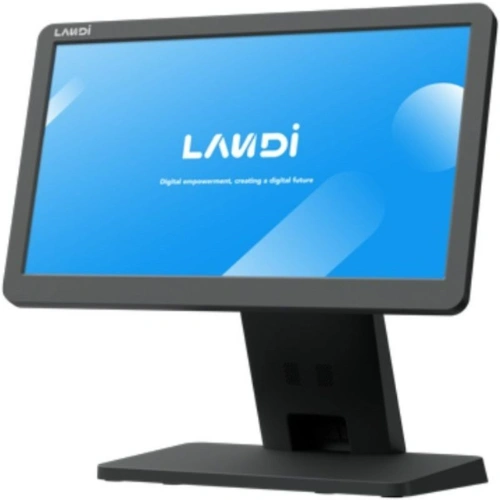
The C20 Pro is LANDI's flagship Android terminal for small and medium retail businesses, powered by a Qualcomm octa-core processor and Android 13, with SoftPOS capability. Listings describe a 15.6-inch Full HD capacitive touchscreen, an integrated 80mm thermal printer, and memory options such as 4GB RAM with 64GB storage or 8GB with 128GB. Connectivity commonly includes Wi-Fi 6, Bluetooth 5.0, and Gigabit Ethernet, with optional 4G on some variants. One listing also mentions IP41 protection and 1.5m drop resistance. You can read about the launch in the company's C20 Pro announcement.
If you want a compact unit that keeps the counter tidy, this is the style of device to look at. For comparison, see our all-in-one POS device.
Dual-Display Versions
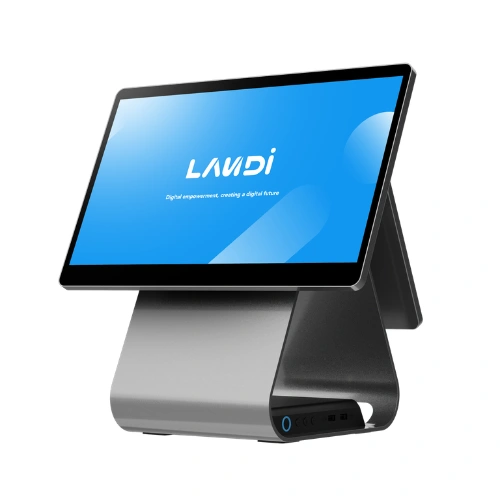
Some C20 Pro variants add a 10.1-inch customer-facing display with touch, a built-in QR scanner, and NFC. That second screen shows customers their items and totals, and it can support contactless and QR-based payments. If you like the idea of customers following along at the counter, a dual-screen POS terminal is worth a look.
The Windows Option
Not everything LANDI sells runs Android. One distributor lists the Cx20 as a desktop terminal running Windows 11 IoT. That matters if your POS software is built for Windows, since Android and Windows apps aren't interchangeable. Our Windows POS devices are one example of that style.
M20 and M20 SE Handhelds
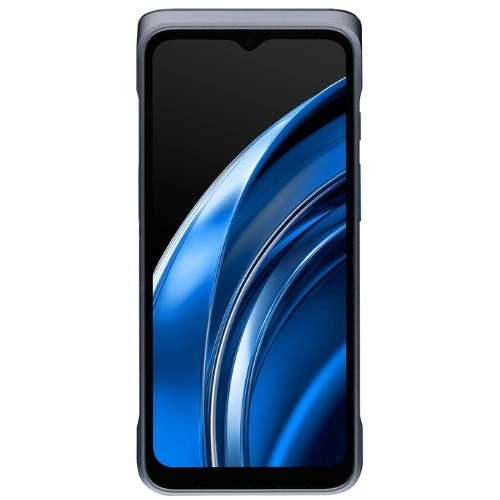
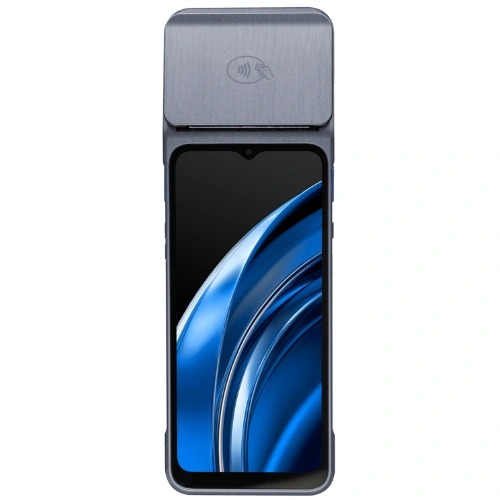
The M20 family is built for mobility. Listings describe a 6.5-inch HD touchscreen, Android 13, a Qualcomm quad-core processor, 4G, Wi-Fi, Bluetooth, GPS, and a removable 3,500 mAh battery. The M20 can include a 58mm thermal printer and a Honeywell or LANDI barcode scanner, with drop resistance around 1.2m. The M20 SE is described as an entry-level mobile POS without a printer, with a camera for QR and barcode scanning, and Qualcomm lists it as PCI certified. See Qualcomm's M20 SE device listing.
A food truck operator I know told me a handheld like this was the single best purchase she made, because she could take orders at the front of the line instead of making customers wait at the window.
Compact Payment Terminals
LANDI also makes smaller card-payment terminals, such as the AxPOS A8S. These are payment-focused devices and generally aren't a replacement for a full POS terminal with inventory and reports. For background on how mobile and portable setups compare, this overview of mPOS is a helpful read.
Key Specs at a Glance
Here's a quick look at the two families most people ask about. These are per distributor listings, so verify them before you rely on them.
C20 Pro
- Screen: 15.6-inch Full HD capacitive touchscreen
- Processor and OS: Qualcomm octa-core, Android 13
- Memory: 4GB RAM with 64GB storage, or 8GB with 128GB, depending on the variant
- Printer: integrated 80mm thermal printer
- Customer display: optional 10.1-inch touchscreen with QR scanner and NFC
- Connectivity: Wi-Fi 6, Bluetooth 5.0, Ethernet, and optional 4G
- Durability: IP41 protection and 1.5m drop resistance on one listing
M20 and M20 SE
- Screen: 6.5-inch HD IPS touchscreen
- Processor and OS: Qualcomm quad-core, Android 13
- Memory: 3GB with 32GB, or 4GB with 64GB, with microSD expansion on some variants
- Printer: 58mm thermal printer on some variants, none on the entry-level SE
- Scanner: optional 1D/2D scanner engines, or camera-based scanning
- Connectivity: 4G, Wi-Fi, Bluetooth, GPS, and NFC on some variants
- Battery and durability: removable 3,500 mAh battery and roughly 1.2m drop resistance
Features That Matter to a Business
Specs are nice, but what do they actually do for you?
An Integrated Printer
A built-in printer means fewer cables and one less box on your counter. That's a big deal in a small café or kiosk where space is tight.
A Customer-Facing Screen
Showing customers what they're being charged builds trust and cuts "wait, what's that charge?" moments. With QR and NFC on the second screen, it can double as a payment point on some models.
Android Apps
Android devices can run POS apps built for that system, which is why this style of hardware has become popular. The flip side is that your software must support Android.
SoftPOS and 4G
SoftPOS capability and cellular connectivity give you flexibility for pop-ups, events, and places with unreliable Wi-Fi. Check which features your chosen model and payment provider actually support.
A Removable Battery
For handhelds, a removable battery means a shift swap instead of a charging break, which matters on long days.
What a Landi Device Can't Do on Its Own
It helps to be clear about the limits.
- It doesn't include your POS software, your menu, your product list, or your inventory.
- It isn't "BIR-accredited" by itself. Under BIR rules, suppliers of POS machines and sales software are subject to accreditation requirements, and each machine used by a taxpayer must be properly registered before use.
- It doesn't set up your payments. Card, QR, and e-wallet acceptance need a payment provider and the right configuration.
So when a supplier says "we'll give you a Landi," the right follow-up question is: "And what software will run on it?"
BIR and Philippine Considerations
If you're in the Philippines, hardware choice and compliance are tied together.
Accreditation Applies to the Software Provider
Ask whether your POS provider is BIR-accredited and how it handles registration. You can read more about BIR accreditation and what to check.
Each Machine Gets Registered
A compliant registered machine is associated with a Machine Identification Number (MIN) and Permit to Use information, and registration typically asks for device details such as the brand, model, and serial number. A mismatch between the serial number you give and the device in front of you is a classic cause of delays.
Other Things to Check
- Invoice wording: receipts should say "Invoice," not "Official Receipt."
- Z-readings: your software should generate them properly.
- E-invoicing: if you fall in a covered group, ask how your system will handle it.
- Android compatibility: confirm that your accredited software runs on the device you're buying.
Please don't assume that a particular Landi model is "BIR-approved." That's a question for your software provider and the BIR, and I couldn't find any Philippine registration details for Landi-based setups.
Pros and Cons
The Upsides
- A modern Android design, with options from desktop to handheld
- An integrated printer and optional customer display on some models
- Flexibility for retail, food, and mobile selling
The Trade-Offs
- Your POS software must support Android, unless you choose a Windows model.
- Warranty, spare parts, and service depend on the supplier you buy from.
- Most listings I found came from UK, EU, and Middle Eastern retailers, so local availability and support in the Philippines need to be confirmed.
I once heard from a shop owner who bought hardware first because the price looked great, then discovered her accredited POS software didn't run on it. She ended up buying a second device. It's an easy mistake, and a costly one.
Landi vs. Other Device Types
Landi isn't the only way to build a counter. Here's how it compares in plain terms.
- Windows terminals: familiar, flexible, and widely supported by traditional POS software, but often bulkier. See our POS Windows devices.
- All-in-one devices: a compact, tidy design that suits small counters, similar in spirit to the C20 Pro.
- Dual-screen terminals: a staff screen plus a customer screen, which suits busier counters.
- Touchscreen monitor setups: a monitor paired with a separate computer, which gives you flexibility in layout. See the POS touchscreen monitor.
- Tablets and handhelds: portable, popular for pop-ups and queue-busting.
For a full look at what's available, browse our POS hardware range.
Who Is It For?
- Cafés and small restaurants that want a compact counter unit with a built-in printer
- Retail shops that want an all-in-one device and a customer display
- Food trucks, delivery, and tableside service that benefit from a handheld
- Businesses that need Windows software and should look at a Windows model instead
How to Choose
Here's a simple way to approach it.
Start With Your Counter and Workflow
Sketch your counter and note where checkout slows down. A tight kiosk, a busy dining room, and a roaming queue-buster need different devices.
Confirm Software First
Make sure your POS software runs on the device, including offline behavior and printer support, before you commit to hardware.
Check Warranty and Support
Ask who services the device, how replacements work, and what the warranty covers. You can see how we describe ours in our hardware policy.
Compare the Whole Cost
Count hardware, software, installation, paper rolls, accessories, and support, not just the device price. For how we structure costs, see our pricing page.
Plan for Growth
Think about whether you'll add a second terminal or a handheld later, and whether the same software will cover them.
Care and Troubleshooting
A little care goes a long way:
- Keep it clean. Wipe screens regularly and keep liquids away.
- Stock spare paper rolls, since running out mid-rush is a classic problem.
- Install software updates when prompted.
- Charge handheld batteries and keep a spare if you can.
For quick first checks, if the printer won't print, check the paper, the cover, and the connection. If the screen runs slowly, restart the device and check for updates. If connectivity drops, check your Wi-Fi, Ethernet, or SIM, and know how your software behaves offline. If the basics don't fix it, call your supplier early.
Frequently Asked Questions
What is a Landi POS device?
It's a smart POS terminal made by LANDI, usually with a touchscreen, a processor, and often a printer and payment features, running Android or, on some models, Windows.
Is Landi a POS software or hardware?
Hardware. Landi makes the devices, and you still need POS software to run your sales, inventory, and reports.
Is a Landi POS device BIR-accredited?
Accreditation applies to the POS supplier's software or system, and each machine in use must be registered. Ask your software provider about its accreditation and how it registers devices. Don't assume a device is approved because of its brand.
Does it work offline?
That depends on your POS software. Ask exactly what still works when the internet drops, especially for card payments.
What POS software runs on a Landi device?
Software built for the device's operating system. Most Landi models run Android, and at least one runs Windows, so confirm compatibility with your provider before you buy.
Can I use a Landi terminal for card payments?
Some models include card and NFC readers, and the M20 SE is listed as PCI certified, but card acceptance also needs a payment provider and the right setup. Check the details with both.
Final Thoughts
A Landi POS device is a capable piece of hardware, but it's only half of the picture. The software that runs on it, the support behind it, and the compliance around it decide whether it actually makes your day easier.
Here's a small exercise. Before you buy any POS hardware, write down three questions for your supplier: what software runs on it, who services it, and how it gets registered with the BIR. If you can't get clear answers, keep looking.
And if you'd like to see how a BIR-accredited POS handles your own busiest hour on the hardware that suits your counter, book a free demo and try your real scenarios.
