
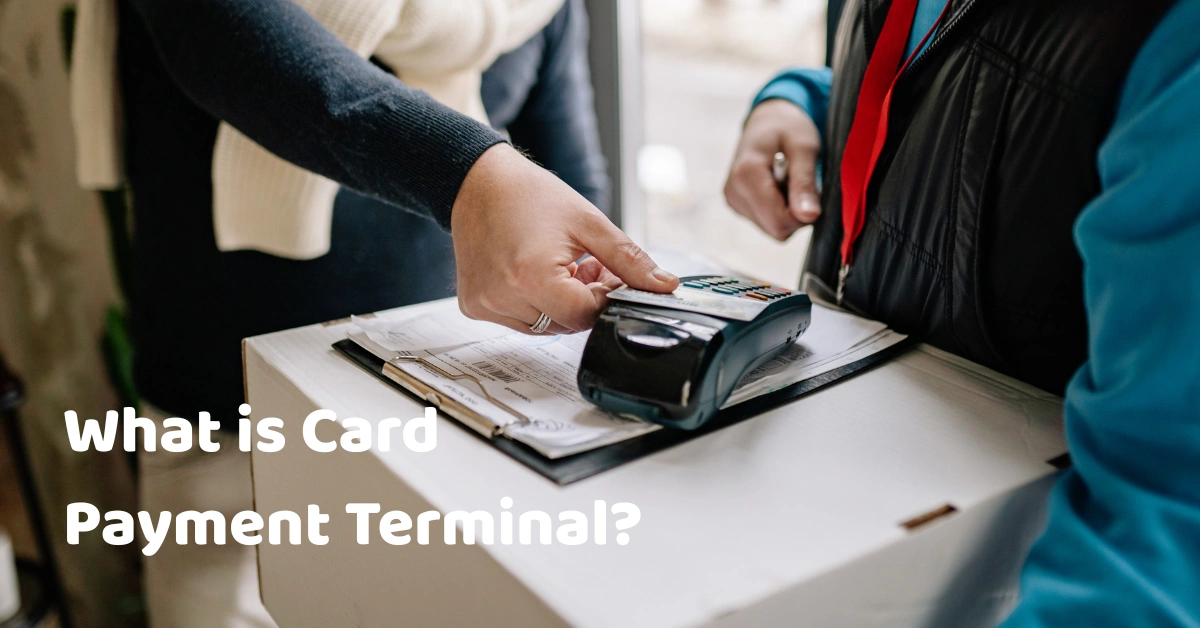
Fewer customers carry enough cash these days. They tap a card or scan a code, and the sale is done in seconds. It feels effortless, but behind that tap is a chain of banks, networks, and security checks, and a small device at your counter that starts the whole thing.
If you're thinking about accepting card payments, or replacing an old machine, it helps to know what that device actually does, what it costs, and how it fits with the rest of your setup. Let's break it down.
In this article
- What is a card payment terminal?
- How it works
- Types of terminals
- Terminal vs. POS vs. gateway
- Key features
- Fees and costs
- Security
- How to choose
- FAQ
What Is a Card Payment Terminal?
A card payment terminal is a device that reads a customer's card or phone, sends the payment for approval, and tells you whether it went through. It accepts chip, tap, and swipe payments, and some models also take QR and e-wallet payments.
You may hear it called a card machine, an EDC (electronic data capture) machine, a card reader, or simply a payment terminal. They all mean roughly the same thing.
It's worth knowing what a terminal doesn't do. On its own, it doesn't track your inventory, manage your staff, or produce sales reports. That's the job of a POS system, which we'll compare in a moment.
How a Card Payment Terminal Works
When a customer pays by card, here's what happens in a few seconds:
- The amount is entered. Your cashier types it in, or your POS sends it to the terminal.
- The customer pays. They insert, tap, or swipe their card, or scan a code.
- The terminal encrypts the card data. This protects it as it travels.
- The data goes to your payment provider. This is usually your acquiring bank or processor.
- The card network routes the request. It forwards it to the customer's bank.
- The customer's bank decides. It approves or declines.
- The result comes back. Your terminal shows "approved" or "declined" and issues a receipt.
- The money is settled. Funds reach your account later, based on your provider's schedule.
A few of those terms are worth a one-line definition. The acquirer is the bank or provider that processes payments for you. The card network is the system that connects banks. The issuer is the customer's bank.
A friend who runs a small stall told me she used to look at the terminal's screen, read the amount to the customer, and then type it again into her notebook. After a few late-night mismatches, she started connecting the terminal to her checkout so the amount passed automatically. The mismatches stopped. (Swap in a real story of your own if you have one.)
Types of Card Payment Terminals
Terminals come in a few styles, and the right one depends on how and where you sell.
Countertop terminals
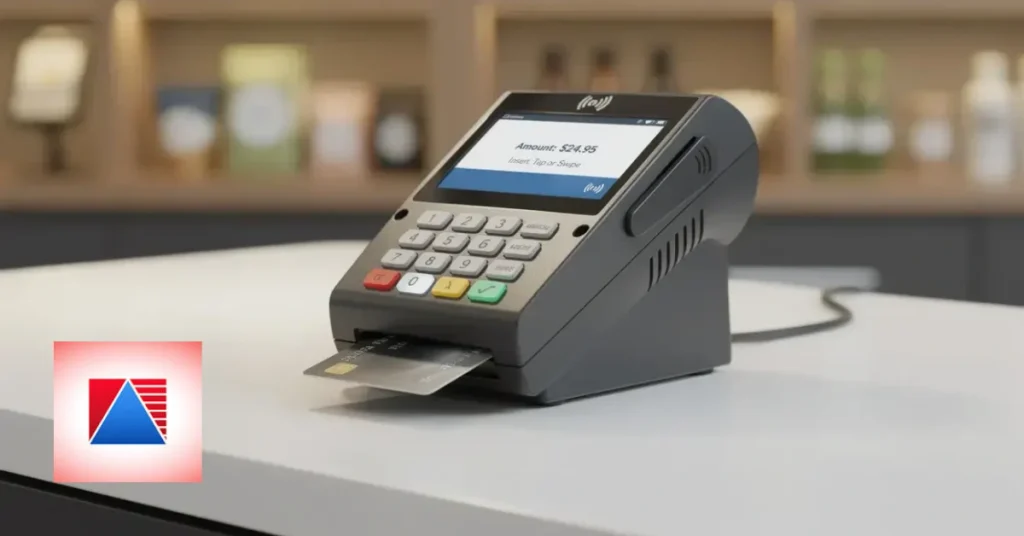
These sit at the checkout, connected by cable or Wi-Fi. They're sturdy and reliable, and a good fit for shops, grocery stores, and pharmacies where customers pay at a fixed spot.
Wireless or portable terminals
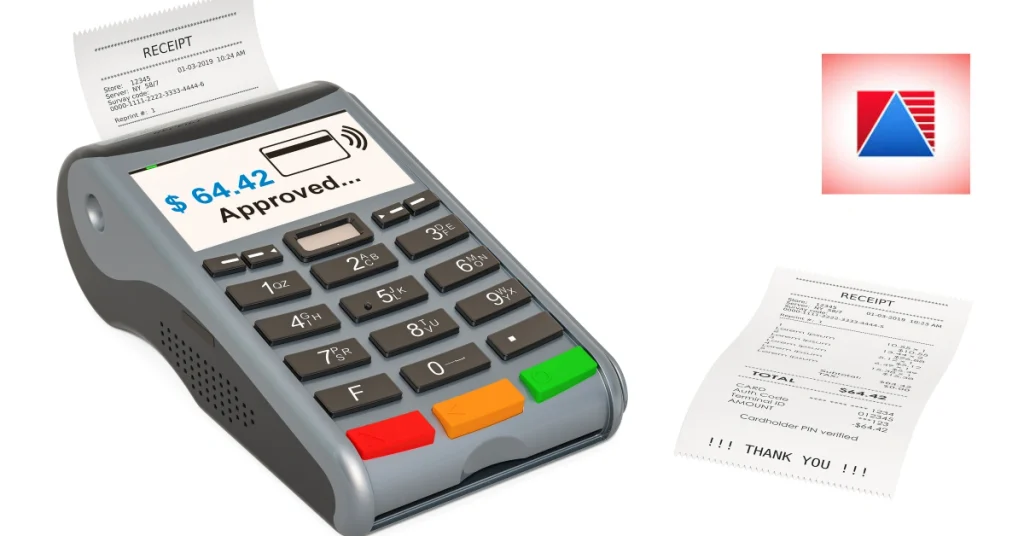
These let you bring the terminal to the customer, whether at a table, a delivery door, or the end of a long queue. Battery life and connectivity matter more here.
Mobile card readers (mPOS)
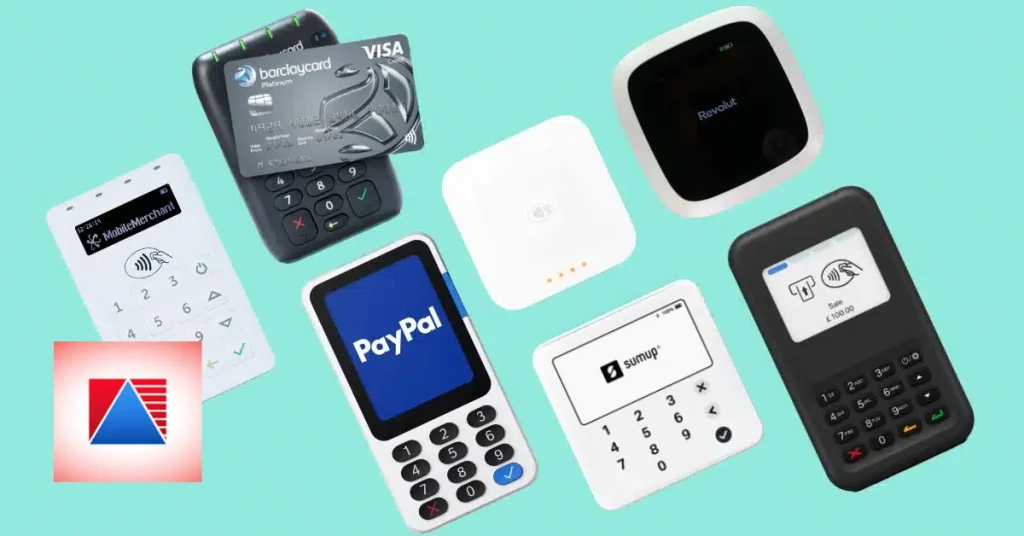
Small readers that pair with a phone or tablet. They're great for market stalls, pop-ups, and very small businesses, though they usually depend on the phone's connection and app.
Smart or integrated terminals
These run their own apps and connect directly to your POS, so amounts and receipts flow automatically. For busy counters, that integration saves time and prevents typing mistakes.
Unattended or self-service terminals
Found in kiosks, vending machines, and parking, these accept payment without a cashier.
If you want to see what a full checkout setup looks like, you can browse typical POS hardware alongside terminals, scanners, printers, and cash drawers.
Card Terminal vs. POS System vs. Payment Gateway
These three get mixed up all the time. Here's a simple way to tell them apart:
| Card payment terminal | POS system | Payment gateway | |
| What it does | Takes and approves in-person card payments | Runs checkout, inventory, staff, and reports | Processes online payments |
| Where it sits | At the counter or table | Across your whole business | Behind an online store |
| Handles inventory and reports | No | Yes | No |
| Typical use | Paying in person | Managing the store | Selling online |
In short, the terminal takes the payment, the POS runs the business, and a gateway handles online payments. Good POS software ties the terminal and the rest of your store together, so the sale, the payment, and your stock all update at once.
Payment Methods a Terminal Can Accept
Before you buy, check what a terminal actually supports:
- Chip (EMV). The standard for inserted cards. You can learn more about the technology at EMVCo.
- Contactless (tap). Cards and phones tapped on the terminal.
- Magnetic stripe. Older swipe cards, still found in some places.
- Debit and credit cards. Check which networks are supported.
- QR and e-wallet payments. Some terminals take these directly, while others rely on a separate method.
If many of your customers use e-wallets, make sure your terminal and your provider support them, rather than finding out after you've signed.
Key Features to Look For
Not every terminal is built the same. Here's what to prioritize.
Chip and contactless support
This is the baseline now. A terminal that can't take taps will frustrate customers.
Security certifications and encryption
Look for strong encryption and ask which security standards the terminal meets.
Connectivity
Terminals connect through Wi-Fi, mobile data, Ethernet, or Bluetooth. Choose what suits your location, and know what happens when the connection drops.
Receipts
Some terminals print receipts, and some send digital ones. Make sure receipts meet your local requirements. In the Philippines, check the current rules with the Bureau of Internal Revenue.
POS integration
When a terminal talks to your POS, the amount passes automatically and the payment is recorded against the right sale. That cuts typing errors and speeds up checkout.
Battery and durability
For portable models, a battery that lasts a full shift is non-negotiable, and so is a body that survives drops and busy counters.
Offline options
Some terminals can store transactions and send them later, but there are limits and risks, and not every card type works this way. Ask exactly how your terminal behaves during an outage.
Tipping, split payments, and refunds
If you run a cafe or restaurant, these matter a lot. Make sure the terminal handles them gracefully.
Reporting and settlement details
You should be able to see what's been paid and what's been settled to your account. If you're also using inventory and reporting modules, add-on POS modules can help you reconcile sales with payments.
Not Sure How a Terminal Fits Your Checkout?
Terminals, software, and receipts all need to work together. If you'd like to talk through your setup, you can contact the Divergent POS team and ask what to consider.
Fees and Costs Explained
Fees are where many owners get surprised, so it's worth being clear. Costs usually include:
- The terminal itself. You might buy it, rent it, or get it as part of a package.
- Transaction fees. Providers typically charge a fee or percentage per card payment, and it can vary by card type and agreement.
- Monthly or annual fees. Some providers charge for the service or support.
- Setup and training.
- Chargebacks and refunds. These can carry their own costs.
- Settlement timing. How quickly you receive your money may differ between providers.
Rates and terms vary, so confirm everything directly with the provider rather than relying on an article, including this one. Ask for an itemized written quote and compare the total cost over one to three years, not just the headline rate. You can also look at your overall pricing for the checkout system to see the whole picture.
Security: How Terminals Protect Card Data
Card data is sensitive, so terminals are built with several layers of protection. Chip technology makes cards harder to copy, and terminals encrypt data before it leaves the device. Industry standards, such as those set by the PCI Security Standards Council, define how payment devices and businesses should protect card information.
No system is risk-free, so be wary of anyone promising "completely secure." A few habits help a lot:
- Keep terminal software updated.
- Check your terminal for signs of tampering, such as loose parts or unfamiliar attachments.
- Limit who can issue refunds.
- Never write down or store card details yourself.
- Ask your provider what security standards their terminals meet.
Who Needs a Card Payment Terminal?
Almost any business that takes payments in person:
- Retail stores. A retail POS paired with a terminal speeds up checkout.
- Cafes. A cafe POS works with a terminal to handle quick orders and tips.
- Restaurants and bars. A restaurant POS with portable terminals makes pay-at-table easy.
- Grocery shops. A grocery POS needs fast, reliable payments at high volumes.
- Pharmacies and clinics. A pharmacy POS with a terminal keeps payments and records organized.
- Market stalls, pop-ups, and delivery businesses, which often do best with mobile readers.
How to Choose the Right Card Payment Terminal
Keep this checklist handy while you compare options:
- Supported payment methods. Chip, tap, and the e-wallets your customers use.
- Fit for your business. Counter, table, mobile, or delivery.
- POS compatibility. Will it connect to your checkout system?
- Connectivity. What happens when the internet drops?
- Security. Ask which standards the terminal meets.
- Total cost. Terminal, fees, and support, not just the sticker price.
- Settlement speed. How soon will funds reach you?
- Support and replacement. Who helps when it breaks?
- Provider reliability and local compliance. Check that the provider is properly licensed. For local payment rules, the Bangko Sentral ng Pilipinas is the official source.
Questions to ask every provider: What are all the fees? How fast is settlement? Which cards and e-wallets are supported? What happens if the terminal fails? Can it connect to my POS?
How to Set Up a Card Payment Terminal
Setting one up is usually simpler than people expect:
- Choose a provider and open a merchant account.
- Receive and inspect the terminal. Check that it's sealed and undamaged.
- Connect it to power and the internet.
- Link it to your POS, if it supports integration.
- Run a test transaction.
- Train your staff. Cover refunds, voids, and what to do when a payment fails.
- Check your first settlement against your sales.
Common Mistakes to Avoid
- Choosing on price alone. The cheapest option can cost more in hidden fees.
- Ignoring fees outside the headline rate. Ask about every line item.
- Buying a terminal that doesn't work with your POS. Retyping amounts invites errors.
- Skipping staff training. Even simple terminals need a walkthrough.
- Having no backup plan. Know what to do if the connection or terminal fails.
- Not checking settlements against sales. Mismatches are easier to fix early.
I've heard of an owner who chose a terminal purely on its low monthly price, then discovered that it didn't connect to her checkout. Every sale had to be typed twice, and the end-of-day totals never quite matched. She switched to an integrated setup within a few months. A cheaper machine isn't cheaper if it costs you hours.
Where Card Payments Are Heading
Expect more contactless and e-wallet payments, wider use of QR payments, and terminals that combine payments and POS functions in one device. Settlement is getting faster in many markets, and pay-at-table and mobile checkout are becoming standard in restaurants and cafes. The common thread is fewer steps between "I'll take it" and "paid."
Frequently Asked Questions
What is a card payment terminal in simple terms?
It's the device at your counter that reads a customer's card or phone and sends the payment for approval, then tells you whether it went through.
What is the difference between a card terminal and a POS system?
A card terminal takes and approves card payments. A POS system runs your checkout and more, including inventory, staff, customers, and reports. Many businesses use both together.
Can a card terminal work without internet?
Some can, using an offline or store-and-forward mode, but there are limits and risks, and not every transaction type works this way. Ask your provider exactly how their terminal behaves during an outage.
How much does a card payment terminal cost?
It depends on the provider, the model, and whether you buy, rent, or get it bundled. Fees and terms vary, so ask for an itemized written quote and compare the total cost over time.
Do I need a card terminal to accept e-wallets?
Not always. Some terminals accept QR and e-wallet payments directly, while others rely on a separate QR code or app. Check what your provider supports before you buy.
Final Thoughts
A card payment terminal is a small device with a big job. It makes sales faster, cuts down on cash handling, and gives customers the payment options they expect. Choose one that fits how you sell, connects to your checkout, and comes with clear, honest pricing, and it'll quietly do its job for years.
