
If you've ever walked into a busy fast-food restaurant and found yourself standing in a long line just to order a meal, you already understand one of the biggest challenges businesses face during peak hours.
Now imagine walking into the same restaurant, tapping a screen, choosing your meal, customizing your order, paying, and receiving an order number all without waiting for a cashier.
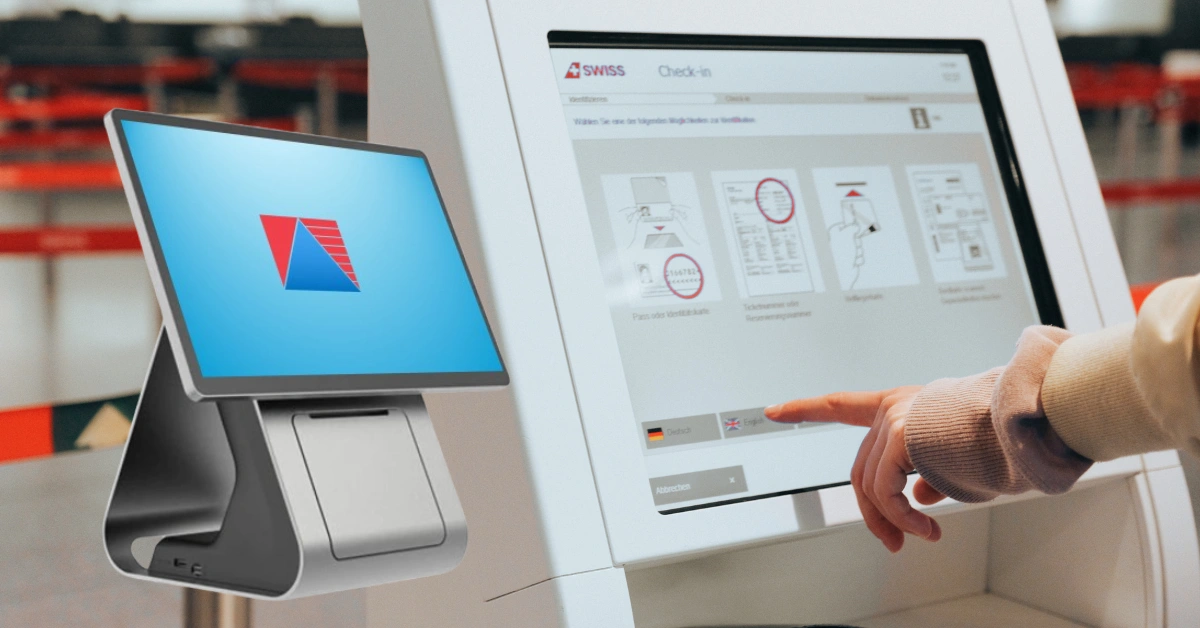
That's the basic idea behind a self-ordering kiosk machine.
Self-ordering kiosks are becoming an increasingly useful technology for restaurants, cafés, food courts, quick-service restaurants, and other businesses that handle a high volume of customers. Instead of relying entirely on traditional cashier-based ordering, businesses can give customers the option to place orders themselves.
But what exactly is a self-ordering kiosk machine, how does it work, and is it worth investing in one?
Let's take a closer look.
What Is a Self-Ordering Kiosk Machine?
A self-ordering kiosk machine is a touchscreen-based system that allows customers to browse products or menus, select items, customize their orders, and complete transactions without requiring a cashier to enter the order manually.
Think of it as a digital ordering station.
Instead of telling an employee, "I'd like a burger, fries, and a large drink," the customer can simply select those items on the screen.
A typical self-ordering kiosk may include:
- Touchscreen display
- Self-ordering software
- Digital menu
- POS integration
- Payment system
- Receipt or order-number printer
- Network connectivity
- Optional customer-facing displays
The kiosk is usually connected to the business's POS system. This connection is important because the kiosk isn't supposed to operate as an isolated machine. Ideally, the customer's order should flow directly into the business's sales, inventory, kitchen, and reporting systems.
How Does a Self-Ordering Kiosk Work?
The process is fairly straightforward.
Step 1: Customer Starts the Order
The customer approaches the kiosk and taps the screen to begin.
The interface may immediately show categories such as:
- Meals
- Burgers
- Pizza
- Pasta
- Beverages
- Desserts
- Promos
The goal is to make the ordering process simple enough that customers don't need much assistance.
Step 2: Customer Browses the Digital Menu
Instead of reading a printed menu, customers can view products directly on the touchscreen.
Businesses can include:
- Product photos
- Prices
- Descriptions
- Ingredients
- Available options
- Promotions
This can make the menu easier to navigate, especially when a business offers many products.
Step 3: Customer Customizes the Order
This is one of the useful features of a self-ordering kiosk.
Customers can select available options such as:
- Size
- Flavor
- Toppings
- Add-ons
- Extra ingredients
- Meal upgrades
For example, someone ordering a burger could choose to add cheese, upgrade their fries, or add a drink.
The customer can see the price change before confirming the order.
Step 4: Customer Reviews the Order
Before payment, the kiosk displays the complete order.
Customers can check:
- Items
- Quantities
- Add-ons
- Discounts
- Total amount
This gives customers an opportunity to correct mistakes before completing the transaction.
Step 5: Customer Pays
Depending on the kiosk setup, customers may be able to use supported payment methods such as cards, e-wallets, or other cashless payment options.
The exact payment methods available depend on the business's hardware, software, and payment integrations.
Step 6: The Order Goes to the POS
Once the transaction is completed, the order is recorded in the POS system.
This is where POS integration becomes extremely important.
Instead of having an employee manually copy the kiosk order into another system, the information can move directly into the business workflow.
Step 7: The Kitchen Receives the Order
For restaurants and food businesses, the order can be routed to the kitchen or preparation area.
With a connected Kitchen Display System (KDS), kitchen staff can see incoming orders and begin preparing them.
Step 8: Customer Receives the Order
The customer receives an order number, receipt, or digital confirmation and waits for the order to be prepared.
The entire process can happen with very little cashier involvement.
What Are the Main Components of a Self-Ordering Kiosk?
A self-ordering kiosk isn't just a touchscreen mounted on a stand. Several components work together.
Touchscreen Display
The touchscreen is the customer's main interaction point.
A good interface should be responsive, easy to understand, and designed with clear buttons and categories.
Kiosk Software
The software controls the ordering experience.
It can manage menus, product options, pricing, promotions, and ordering workflows.
POS Integration
The POS system handles the business side of the transaction.
It can record sales, update inventory, generate reports, and manage other operational processes.
Payment System
Payment hardware and software allow customers to complete transactions.
Businesses should choose payment options based on what their customers commonly use.
Receipt or Order Number System
After placing an order, customers may receive a printed receipt or order number that can be used for fulfillment.
Network Connectivity
The kiosk needs reliable communication with the POS, payment systems, and potentially kitchen systems.
What Can Customers Do With a Self-Ordering Kiosk?
A well-designed kiosk can handle much more than simply selecting a product.
Customers can typically:
- Browse menus
- Search for products
- Select quantities
- Customize items
- Add toppings or extras
- Upgrade meals
- View promotions
- Review their order
- Complete payment
- Receive order confirmation
This gives customers more control over their ordering experience.
Benefits of a Self-Ordering Kiosk Machine
There are several reasons businesses are exploring self-service ordering.
Reduce Long Queues
One of the biggest advantages is queue management.
During lunch or dinner rushes, a single cashier can only process so many customers at a time.
Adding self-ordering kiosks gives customers another way to place their orders.
For example, instead of having 15 people waiting behind one cashier, several customers could use multiple kiosks simultaneously.
That doesn't necessarily mean you need to eliminate cashiers. In many cases, the best approach is to provide both options.
Improve Order Accuracy
When customers select their own items, there is less opportunity for a cashier to misunderstand an order.
For customized meals, this can be especially helpful.
The customer sees exactly what they selected before paying.
Improve Staff Efficiency
Employees don't have to spend every minute manually entering orders.
Instead, they can focus on:
- Preparing food
- Managing the dining area
- Assisting customers
- Handling special requests
- Maintaining cleanliness
This can help businesses make better use of their staff during busy periods.
Encourage Upselling
A kiosk can automatically suggest additional products.
For example:
"Add a large drink for ₱30?"
Or:
"Upgrade your meal for ₱50."
These recommendations can encourage customers to add products without requiring employees to remember every upselling opportunity.
Create a Better Customer Experience
Some customers simply prefer self-service.
They can take their time reviewing the menu, customize their order, and see the total price before checking out.
For customers who already use self-service technology regularly, the experience can feel natural.
Provide Useful Sales Data
Because orders are processed digitally, businesses can collect valuable information.
For example, you may discover that:
- A particular meal sells heavily during lunch.
- Customers frequently add a specific topping.
- A particular promotion increases average order value.
- Certain products perform poorly.
These insights can help business owners make better decisions.
Self-Ordering Kiosk vs. Traditional Cashier
Self-ordering kiosks aren't necessarily meant to replace traditional cashier stations.
| Feature | Self-Ordering Kiosk | Traditional Cashier |
| Ordering | Customer-led | Staff-led |
| Queue management | Can help reduce queues | May create queues during peak periods |
| Order entry | Customer selects items | Cashier enters order |
| Upselling | Can use digital recommendations | Depends on staff |
| Customer assistance | Limited/self-service | Personal assistance |
| Order data | Digitally recorded | Depends on POS setup |
For many businesses, a combination of both works best.
Customers who enjoy self-service can use the kiosk, while customers who need assistance can still order from an employee.
Where Are Self-Ordering Kiosks Commonly Used?
Fast-Food Restaurants
Fast-food businesses are a natural fit because they typically process many orders in a short period.
Restaurants
Restaurants can use kiosks for quick-service ordering, especially in high-volume locations.
Cafés
Kiosks can make it easier for customers to customize drinks and add food items.
Food Courts
Food courts can benefit from faster ordering and improved customer flow during busy periods.
Food Kiosks
Small food businesses can use self-service ordering to simplify the customer journey and reduce manual order entry.
What Features Should You Look for in a Self-Ordering Kiosk?
Not every kiosk is the same.
Before purchasing one, consider the following features.
User-Friendly Interface
Customers shouldn't need instructions just to place a basic order.
The menu should be clear, responsive, and easy to navigate.
Digital Menu Management
Your business should be able to update:
- Products
- Prices
- Photos
- Descriptions
- Promotions
- Availability
POS Integration
This is one of the most important considerations.
Your kiosk should work with your POS so that sales, inventory, and reports remain synchronized.
Inventory Integration
If a product is unavailable, the system should ideally be able to reflect that availability so customers don't order something that the kitchen cannot provide.
Payment Integration
Choose a system that supports the payment methods relevant to your customers and business.
Kitchen Display System Integration
For restaurants, sending orders directly to the kitchen can significantly reduce manual work.
Reporting and Analytics
Business owners should be able to understand how kiosks are performing.
Useful information may include kiosk sales, popular products, peak ordering periods, and average order value.
How Does a Self-Ordering Kiosk Connect to a POS System?
The easiest way to understand the relationship is to think of the kiosk as the customer-facing ordering tool, while the POS serves as the central business system.
A typical workflow looks like this:
Customer → Self-Ordering Kiosk → POS → Kitchen Display System → Order Fulfillment
The kiosk collects the customer's order.
The POS records the transaction.
The kitchen receives the order.
The staff prepares it.
The customer receives the completed order.
This connected workflow is much more useful than having a kiosk that simply collects orders without communicating with the rest of the business.
Self-Ordering Kiosk Machine and Divergent POS
For Philippine businesses looking to modernize their ordering process, a self-ordering kiosk can become an important part of a broader POS setup.
Divergent POS provides POS solutions designed for different types of businesses, including restaurants, cafés, retail stores, grocery businesses, pharmacies, and other industries.
When self-ordering technology is connected to a POS system, businesses can bring ordering and operational data together.
Depending on the setup, businesses can benefit from features such as:
- Sales management
- Inventory management
- Reporting and analytics
- Restaurant POS functionality
- Kitchen operations
- Multi-location management
- Employee management
The biggest advantage isn't simply having a touchscreen.
It's having the kiosk work together with the systems you already use to operate the business.
How Much Does a Self-Ordering Kiosk Machine Cost?
There isn't one fixed price for a self-ordering kiosk.
The total cost depends on the configuration and business requirements.
Factors can include:
- Kiosk hardware
- Touchscreen specifications
- Kiosk software
- POS integration
- Payment integration
- Installation
- Maintenance
- Technical support
- Number of kiosks
For this reason, businesses should look at the total cost of ownership rather than comparing hardware prices alone.
A cheaper kiosk may not necessarily provide better value if it lacks reliable software, integrations, or technical support.
To know more about POS Software and POS Hardware pricing, check Divergent POS Pricing.
Is a Self-Ordering Kiosk Worth It?
The answer depends on your business.
A self-ordering kiosk can make sense if you regularly experience:
- Long queues
- High customer volume
- Slow order processing
- Frequent order-entry mistakes
- Limited cashier capacity
It can be especially valuable for quick-service restaurants, cafés, food courts, and other businesses where speed is important.
However, implementation should be planned carefully.
Consider your available space, customer preferences, payment options, staff workflow, and existing POS system before investing.
Common Challenges of Self-Ordering Kiosks
Self-ordering kiosks have many benefits, but they're not completely hands-off.
Initial Investment
Businesses need to budget for hardware, software, installation, and integration.
Customer Adoption
Not every customer will immediately want to use a kiosk.
Some customers prefer speaking with a cashier, particularly when they have questions or special requests.
Technical Issues
Like any technology, kiosks can experience technical problems.
That's why reliable technical support matters.
Staff Training
Employees should know how to assist customers who are unfamiliar with the kiosk and how to respond to basic technical issues.
Final Thoughts
So, what is a self-ordering kiosk machine?
In simple terms, it's a touchscreen-based ordering system that allows customers to browse a menu, customize their orders, pay, and receive confirmation without depending entirely on a cashier.
But its real value goes beyond the touchscreen.
When properly integrated with a POS system, a self-ordering kiosk can become part of a complete business workflow connecting customer orders with sales, inventory, kitchen operations, and reporting.
For Philippine businesses looking to reduce queues, improve ordering accuracy, increase staff efficiency, and create a more modern customer experience, self-ordering kiosks are worth considering.
With Divergent POS, businesses can explore a POS setup designed to support modern restaurant and business operations while keeping sales, inventory, and reporting connected.
If you're considering a self-ordering kiosk for your restaurant, café, food business, or other operation, request a Divergent POS demo to see how self-service ordering can fit into your existing workflow.
