
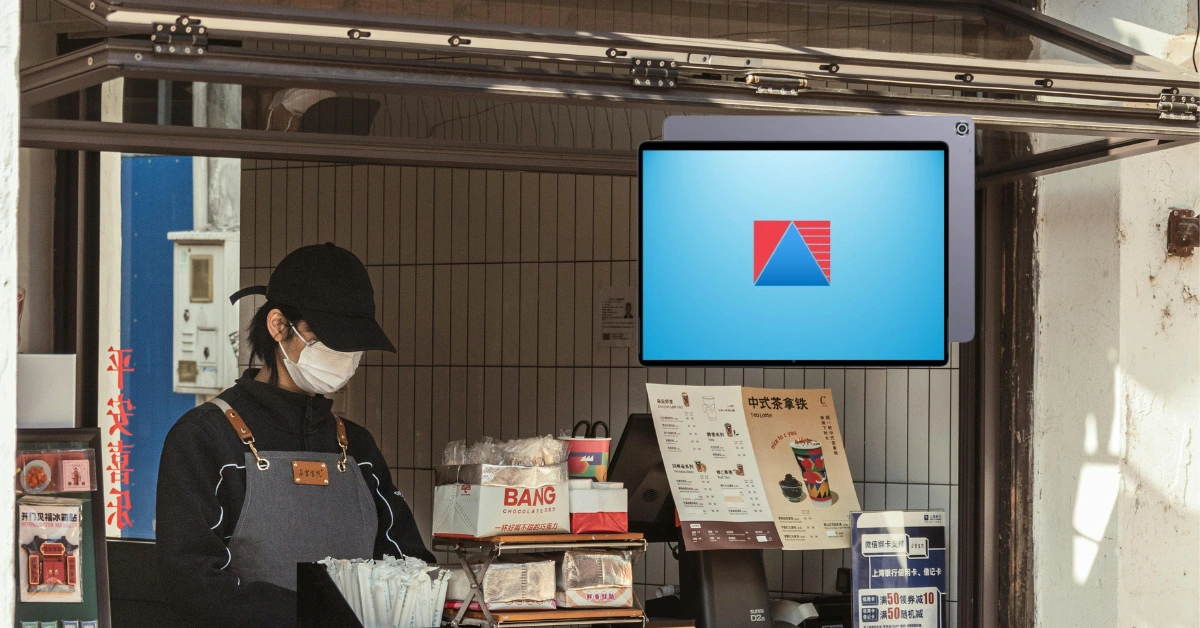
Running a food kiosk sounds simple at first. You have a small space, a focused menu, a few employees, and customers who want their food quickly.
But once the orders start coming in, things can get hectic.
During lunch or dinner rush, employees may need to take orders, collect payments, communicate with the kitchen, check inventory, and answer customer questions—all at the same time. If sales and inventory are being recorded manually, small mistakes can quickly become bigger operational problems.
This is where a Food Kiosk POS System in the Philippines can make a real difference.
A good POS isn't just a cash register. It can help organize orders, payments, inventory, employees, and sales reports in one place.
Let's look at how it works and what food kiosk owners should consider before choosing one.
What Is a Food Kiosk POS System?
A food kiosk POS system is software and hardware designed to help food businesses manage transactions and day-to-day operations.
Instead of writing an order on paper and manually calculating the total, staff can enter the order directly into the POS.
A typical workflow looks like this:
Take Order → Confirm Order → Process Payment → Send Order for Preparation → Complete Sale → Update Records
Depending on the setup, the system can also update inventory and generate sales reports automatically.
For a small kiosk selling burgers and drinks, for example, the cashier might select a burger, choose the size, add extra cheese, select a drink, and process the customer's payment in just a few taps.
That is much easier than manually writing everything down during a busy period.
Food Kiosk POS vs. Traditional Cash Register
A traditional cash register primarily handles money and basic transaction recording.
A modern POS can do much more.
| Feature | Traditional Cash Register | Food Kiosk POS |
| Sales Processing | ✓ | ✓ |
| Menu Management | Limited | ✓ |
| Inventory Tracking | Limited | ✓ |
| Sales Reports | Limited | ✓ |
| Employee Management | Limited | ✓ |
| Multiple Payment Methods | Limited | ✓ |
| Business Analytics | Limited | ✓ |
| Multi-Location Management | No/limited | Available on supported systems |
For a growing food business, having these functions connected can make daily operations much easier.
Why Do Food Kiosks Need a POS System?
Not every food kiosk needs an advanced system from day one. But as sales volume increases, managing everything manually becomes difficult.
Faster Order Processing
Speed matters in the food business.
Customers at kiosks are often looking for convenience. They don't want to stand in line for five minutes while an employee manually calculates an order.
A touchscreen POS lets staff quickly select menu items, add modifiers, apply discounts when appropriate, and calculate the total.
For example, instead of writing:
2 Chicken Meals + 2 Drinks + Extra Rice
the employee can select those options directly from the menu.
This reduces unnecessary steps and can help keep the line moving.
Reduce Order Errors
Handwritten orders can be misunderstood.
Maybe the customer asked for no onions, but the employee forgot to write it down. Or perhaps the kitchen misread the handwriting.
Digital ordering provides a clearer record.
If the POS supports order notes or modifiers, employees can record specific requests directly in the system.
That can help reduce misunderstandings between the cashier and kitchen staff.
Handle Busy Periods
A food kiosk can have very different sales patterns throughout the day.
You might have a quiet period at 10 a.m., followed by a huge lunch rush at noon.
A POS helps employees process multiple orders quickly while giving the owner a record of what happened during those busy periods.
Essential Features of a Food Kiosk POS System
A good food kiosk POS should match the way your business actually operates.
Fast and Easy Order Taking
The interface should make it easy for employees to find products quickly.
Useful features can include:
- Menu categories
- Product buttons
- Add-ons
- Modifiers
- Meal combinations
- Discounts
- Order notes
The goal is simple: employees shouldn't have to navigate through complicated screens just to take an order.
Menu Management
Menus change.
You might add a new product, remove a seasonal item, or change a price.
A POS should make these updates manageable.
For example, you could organize your menu into:
- Burgers
- Rice meals
- Snacks
- Desserts
- Coffee
- Cold drinks
Then employees can quickly find the right product during checkout.
Payment Processing
Customers don't all pay the same way.
A modern food kiosk may accept:
- Cash
- Credit cards
- Debit cards
- QR payments
- E-wallets
Having multiple payment options can make transactions more convenient for customers.
However, payment availability depends on the POS provider and integrations, so this should always be confirmed before purchasing.
Receipt Management
A POS can help keep transaction records organized.
Depending on the system, businesses may be able to handle:
- Printed receipts
- Digital receipts
- Refunds
- Voids
- Transaction history
This is particularly helpful when an owner needs to review a previous transaction.
Inventory Management for Food Kiosks
Inventory can be one of the biggest challenges for food businesses.
You aren't only selling finished products. You're also using ingredients and supplies.
A burger kiosk, for example, might need to monitor:
- Beef patties
- Buns
- Cheese
- Lettuce
- Sauces
- Cooking oil
- Packaging
- Drinks
Track Products and Ingredients
A POS with inventory functionality can help businesses understand what is being used and what needs to be replenished.
The exact level of ingredient tracking depends on the POS system and how it's configured.
Monitor Low Stock
Running out of an important ingredient during peak hours is frustrating.
Imagine having customers order your best-selling burger only to discover that you've run out of buns.
Inventory visibility can help staff identify products that need replenishment before they become a problem.
Reduce Waste
Inventory data can also help owners understand demand.
If a particular ingredient is consistently being over-purchased and going unused, sales and inventory information can help inform better purchasing decisions.
Manage Add-ons and Variations
Food kiosks often have customizations.
For example:
Burger
- Regular
- With cheese
- Double patty
- Extra sauce
Drinks
- Regular
- Large
- Add-ons
A POS that handles these options properly can make ordering much easier for employees.
Food Kiosk POS for Faster Customer Service
Customer experience is a major part of food kiosk success.
Reduce Waiting Time
The faster an employee can take an order accurately, the faster the customer can move through the queue.
But speed shouldn't come at the expense of accuracy.
The goal is fast and correct, not simply fast.
Simplify Staff Workflows
A well-designed POS can create a predictable process:
Select Order → Confirm → Take Payment → Send to Kitchen → Prepare → Serve
This makes training easier because employees have a consistent workflow to follow.
Handle Peak Hours
A good POS becomes particularly valuable during:
- Lunch rush
- Dinner rush
- Weekends
- Holidays
- Mall promotions
- Special events
The system won't eliminate busy periods, of course. But it can help your team manage them more efficiently.
Food Kiosk POS and Kitchen Operations
The cashier and kitchen need to communicate clearly.
If the kiosk uses paper orders, staff may need to carry tickets or verbally communicate orders.
A POS can digitize part of that process.
Kitchen Display System
A Kitchen Display System (KDS) can display incoming orders on a screen for kitchen staff.
Instead of searching through stacks of printed tickets, employees can see what needs to be prepared.
Depending on the setup, orders may be organized by:
- Order number
- Time
- Status
- Preparation area
Reduce Communication Errors
When the kitchen receives a clear digital order, there may be less room for misunderstandings.
This can be particularly useful when orders contain modifications.
For example:
Burger + cheese + no onions + large fries
The kitchen can see the exact order instead of trying to interpret handwriting.
Payment Options for Food Kiosks in the Philippines
Payment habits continue to evolve, and food businesses need to consider how their customers prefer to pay.
Cash Payments
Cash remains important for many businesses.
Your POS should properly record cash transactions and provide accurate transaction records.
Card Payments
Card acceptance can be useful for customers who don't carry cash.
If your kiosk accepts cards, confirm that your POS and payment equipment work together properly.
QR Payments and E-Wallets
QR-based payments and e-wallets can also provide convenient alternatives.
Before choosing a POS, check which payment providers and integrations are currently supported.
Employee Management for Food Kiosks
When a kiosk has several employees working different shifts, managing access becomes important.
User Accounts and Permissions
Instead of allowing everyone to access every function, businesses can use permissions to control what employees can do.
For example, a cashier might process sales but not have permission to change prices or issue certain types of refunds.
Monitor Sales Activity
Employee-level sales records can help owners understand transaction activity.
This can also make it easier to investigate unusual transactions.
Control Discounts, Voids, and Refunds
These functions can have a direct impact on revenue.
A POS can provide controls around:
- Discounts
- Voids
- Refunds
- Price changes
The exact controls depend on the software.
Reporting and Analytics for Food Kiosks
Here's something I always recommend business owners pay attention to when evaluating a POS: don't just look at the checkout screen. Look at the reports.
The checkout helps you sell.
Reports help you understand the business.
Daily Sales Reports
You should be able to see how much the kiosk sold during a specific period.
Best-Selling Items
Which product generates the most sales?
Maybe your cheeseburger is the top seller, while another menu item barely moves.
That's useful information when planning promotions or menu changes.
Slow-Moving Products
The opposite is also important.
If an item consistently sells poorly, you may need to reconsider its price, placement, promotion, or even whether it should remain on the menu.
Peak Sales Hours
Knowing when customers buy the most can help with staffing and preparation.
For example, if most sales happen between 11:30 a.m. and 1:30 p.m., you can plan your staffing accordingly.
BIR Compliance for Food Kiosks in the Philippines
Compliance should also be part of your POS evaluation.
Businesses should make sure their POS setup supports applicable requirements for recording sales and issuing the appropriate documentation.
Verify Current BIR Requirements
Don't rely solely on an old blog post or a salesperson's general statement.
Ask the provider about its current BIR accreditation or authorization and the requirements applicable to your specific business.
BIR rules and procedures can change, so information should always be verified before implementation.
Senior Citizen and PWD Discounts
Food businesses may also need to properly process applicable Senior Citizen and PWD discounts.
Depending on the transaction and current requirements, this can involve:
- Customer information
- Applicable discounts
- VAT treatment
- Documentation
A POS that can handle these transactions properly can make the cashier's job easier.
Cloud-Based vs. On-Premise POS for Food Kiosks
There are different ways to deploy POS software.
Cloud-Based POS
Cloud-based systems can provide advantages such as:
- Remote access
- Centralized information
- Cloud backups
- Easier multi-location monitoring
This can be useful for an owner managing multiple kiosks.
You could potentially review business information without physically visiting every location, depending on the system.
On-Premise POS
An on-premise setup stores and processes information locally.
This can be appropriate for businesses with specific infrastructure or operational requirements.
Which One Is Better?
There's no universal answer.
Consider:
- Internet reliability
- Business size
- Number of locations
- Budget
- Data requirements
- Desired remote access
Food Kiosk POS Hardware
Software is only one part of the setup.
POS Terminal or Touchscreen
A compact touchscreen is particularly useful for kiosks because counter space is often limited.
Receipt Printer
A receipt printer can provide printed transaction documentation when required.
Cash Drawer
For cash payments, a secure cash drawer helps organize and manage money.
Customer Display
A customer-facing display can show the items ordered and the total, helping customers confirm their order before payment.
Payment Terminal
If you accept cards or other electronic payments, you'll need compatible payment hardware.
The important thing is to make sure all of your equipment works together.
How to Choose the Best Food Kiosk POS System in the Philippines
Choosing a POS shouldn't start with:
"What's the cheapest option?"
Instead, start with:
"What does my business actually need?"
Consider Your Menu
Think about:
- Number of products
- Add-ons
- Modifiers
- Combos
- Different sizes
- Seasonal products
A simple coffee kiosk may need a very different menu structure from a burger kiosk.
Consider Transaction Volume
A kiosk serving 50 customers a day has different requirements from one serving 500.
The busier you are, the more important speed and reliability become.
Check Payment Compatibility
Make sure your preferred payment methods are supported.
Evaluate Inventory Features
Don't assume every POS handles food inventory in the same way.
Ask how the system handles your actual products and ingredients.
Consider Hardware
Think about your physical space.
You may need:
- POS terminal
- Touchscreen
- Receipt printer
- Cash drawer
- Payment terminal
- Kitchen display
Consider Support
Ask what happens when something goes wrong.
Good questions include:
- Is installation included?
- Is staff training available?
- Who do I contact for technical problems?
- Is hardware support available?
- What happens if the system goes offline?
Think About Growth
Maybe you have one kiosk today.
But what happens if you open three more next year?
A POS should ideally be able to grow alongside the business.
How Much Does a Food Kiosk POS System Cost in the Philippines?
There isn't one fixed price because POS costs depend on the setup.
Factors can include:
- Software
- Hardware
- Number of terminals
- Number of locations
- Features
- Add-ons
- Payment integrations
- Support
Don't Compare POS Systems by Price Alone
A low-cost POS isn't necessarily the best value.
For example, if you save money on the software but later discover that you need to pay separately for essential features, hardware, or support, the overall cost can become much higher.
Look at the total cost of ownership, not just the starting price.
Food Kiosk POS With Divergent POS
For Philippine food businesses looking for a complete POS solution, Divergent POS is another option worth considering.
Divergent POS provides solutions for different business types, including restaurants, cafés, retail businesses, and food-related operations.
Managing Sales and Inventory
Connecting sales and inventory can help food kiosk owners better understand what's happening in the business.
For example, sales reports can help identify popular menu items, while inventory tools can help monitor stock levels.
Kitchen Display System
For food operations with a dedicated preparation area, a Kitchen Display System can help kitchen staff receive and organize orders digitally.
This can help create a smoother workflow between the cashier and kitchen.
POS Hardware
A food kiosk can use a compact hardware setup depending on its requirements.
A typical setup could include a touchscreen POS terminal, receipt printer, cash drawer, and payment equipment.
The exact configuration should be based on the kiosk's counter space and transaction volume.
Cloud-Based and On-Premise Options
Divergent POS offers cloud-based and on-premise POS options, giving businesses flexibility when deciding how their POS should operate.
The right choice depends on your internet connection, number of locations, operational needs, and preferred management setup.
Common Food Kiosk POS Challenges
Even with good technology, food businesses can encounter problems.
Long Customer Queues
Possible solution: Use a fast, simple ordering interface and reliable payment setup.
Incorrect Orders
Possible solution: Use digital order entry and, where appropriate, kitchen integration.
Running Out of Ingredients
Possible solution: Use inventory tracking and monitor low-stock products.
Difficulty Tracking Sales
Possible solution: Use automated reports instead of relying entirely on handwritten records.
Managing Multiple Kiosks
Possible solution: Consider a POS with centralized multi-location management.
Internet Problems
Internet connectivity is an important consideration for cloud-based systems.
Ask your POS provider what happens if the internet connection goes down and whether the system supports appropriate offline workflows.
Frequently Asked Questions
What is a food kiosk POS system?
A food kiosk POS system is software and hardware that helps food businesses manage orders, payments, sales, inventory, employees, and reporting.
Do food kiosks need a POS system?
Not every kiosk needs an advanced POS. However, a POS becomes increasingly valuable as transaction volume, menu complexity, inventory, and staffing requirements grow.
What features should a food kiosk POS have?
Important features can include fast order entry, menu management, payment processing, inventory management, sales reporting, employee controls, and appropriate compliance functionality.
How much does a food kiosk POS cost in the Philippines?
The cost depends on software, hardware, features, number of terminals, locations, integrations, and support requirements.
Can a food kiosk POS manage inventory?
Yes. Many POS systems provide inventory capabilities, although the depth of inventory management varies between providers.
Can a POS manage multiple food kiosks?
Yes, if the system supports multi-location management. This can be particularly useful for owners operating several kiosks.
Can food kiosks accept QR and e-wallet payments?
Many modern POS setups can support digital payment methods, but availability depends on the provider and payment integrations. Always verify the current options.
Does a food kiosk POS need to be BIR compliant?
Businesses should determine the BIR requirements applicable to their operations and verify the POS provider's current accreditation or authorization before implementation.
What is the best POS system for a food kiosk in the Philippines?
The best option depends on your menu, transaction volume, inventory requirements, payment methods, budget, hardware needs, compliance requirements, and plans for expansion.
Conclusion
A food kiosk may have a smaller footprint than a full-service restaurant, but that doesn't mean its operations are simple.
During a busy lunch rush, every second matters. Employees need to take orders accurately, process payments quickly, communicate with the kitchen, and keep customers moving through the line.
A reliable Food Kiosk POS System in the Philippines can bring many of these tasks together.
The right system can help with:
- Faster ordering
- Payment processing
- Inventory management
- Sales reporting
- Employee controls
- Kitchen operations
- Multi-location management
- Business monitoring
But don't choose a POS simply because it has the most features.
Choose one that fits your menu, your workflow, your staff, and your plans for growth.
For businesses looking for a Philippine POS solution, Divergent POS is worth considering as part of your research. With POS software, hardware, inventory management, reporting, and solutions for different business types, it can provide a foundation for managing food operations more efficiently.
The best POS isn't the one with the longest feature list. It's the one that makes your team's everyday work easier while giving you better control over your business.
