
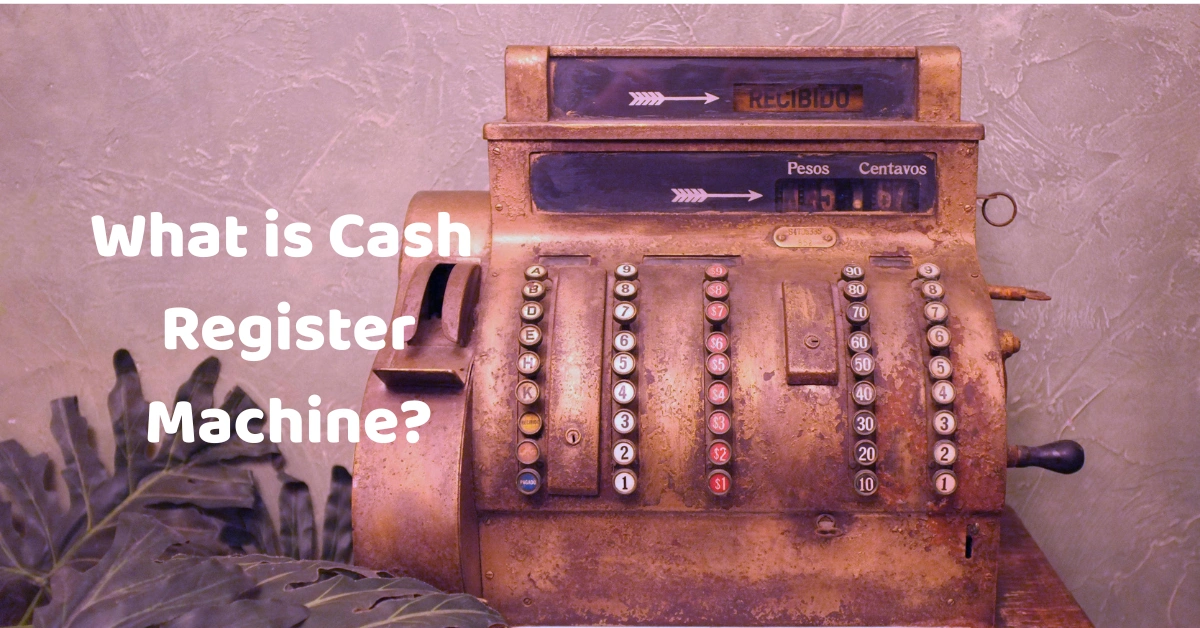
If you have ever walked into a grocery store, café, restaurant, pharmacy, or retail shop, chances are you have seen a cash register machine in action. It may look like a simple screen with a cash drawer, but today's systems can do much more than simply hold money and print receipts.
A cash register machine is one of the most important tools at the checkout counter. It helps businesses calculate purchases, accept payments, record sales, issue receipts, and manage cash. Modern systems have taken this a step further by combining traditional cash register functions with inventory management, reporting, employee management, and other business tools.
This is where a modern Divergent POS solution can make a difference. Instead of treating the checkout counter as a place where transactions simply happen, a POS system can turn it into a central point for managing day-to-day business operations.
So, what exactly is a cash register machine, how does it work, and how is it different from a modern POS system? Let's take a closer look.
What Is a Cash Register Machine?
A cash register machine is a device used by businesses to calculate and record sales transactions and handle customer payments. Traditional cash registers usually include a cash drawer, display, keyboard, and receipt printer.
When a customer purchases something, the cashier enters the product price or scans its barcode. The machine calculates the total, records the transaction, and tells the cashier how much change should be given if the customer pays with cash.
At its simplest, a cash register answers three basic questions:
- What did the customer buy?
- How much does the customer need to pay?
- How much payment or change is involved?
Traditional cash registers were designed primarily for these functions. Modern systems, however, can do considerably more.
How Does a Cash Register Machine Work?
The process is fairly straightforward, even though the technology behind modern systems can be quite sophisticated.
1. Products Are Added to the Transaction
The cashier enters the product manually or scans its barcode. The system identifies the item and retrieves its price.
For example, if a customer buys three products, the cashier can scan each item rather than manually calculating the prices.
2. The System Calculates the Total
The cash register automatically adds the items together. Depending on the system, it can also calculate taxes, discounts, promotions, or other charges.
This reduces the possibility of calculation mistakes, especially when a transaction contains many products.
3. The Customer Selects a Payment Method
The customer can pay using cash, credit or debit card, mobile payment, or another supported payment method.
Modern POS systems are especially useful here because they can integrate multiple payment options into a single checkout workflow.
4. The Transaction Is Recorded
Once payment is completed, the transaction is stored in the system. A basic cash register may simply maintain sales totals, while a modern Divergent POS system can provide much more detailed transaction information.
5. A Receipt Is Issued
The system can print a physical receipt or, depending on the setup, provide a digital receipt.
The entire process can take only a few seconds.
What Are the Main Parts of a Cash Register Machine?
Although cash registers vary from one business to another, most systems contain several common components.
Cash Drawer
The cash drawer is where physical money is stored. It normally opens when a cash transaction is completed.
A good cash management process is important because businesses need to know how much money should be in the drawer at the end of a shift.
Display Screen
The display allows the cashier to see products, prices, quantities, discounts, totals, and payment information.
Modern touchscreen systems have largely replaced the physical buttons found on older cash registers.
Barcode Scanner
A barcode scanner makes checkout faster by allowing employees to scan products instead of manually entering prices.
This is particularly useful in supermarkets, grocery stores, convenience stores, and other businesses with large product catalogs.
We have provided different blogs on this. Learn What a Barcode Scanner is.
Receipt Printer
A receipt printer produces a physical record of the transaction. Receipts typically include the purchased products, quantities, prices, taxes, discounts, total amount, and payment information.
Payment Terminal
A payment terminal allows customers to pay using cards and other electronic payment methods.
Modern POS systems can connect the payment process with the sales transaction, making checkout more convenient for both the customer and cashier.
Cash Register Machine vs. POS System
One of the most common questions business owners ask is whether a cash register and a POS system are the same thing.
They are related, but they are not exactly the same.
A traditional cash register is primarily designed to process and record sales. A POS system can handle sales while also helping manage other areas of the business.
For example, a modern POS solution can connect:
- Sales
- Inventory
- Customer information
- Employee accounts
- Discounts
- Payments
- Returns
- Sales reports
- Product management
- Business analytics
Think of it this way: a cash register helps you complete a sale, while a POS system can help you understand and manage the business behind those sales.
This distinction becomes increasingly important as a business grows.
A small shop with a limited number of products may be perfectly comfortable using a basic cash register. A growing retail business with thousands of products, multiple employees, and several branches will likely need something more capable.
Learn also about What is POS? is.
Why Businesses Use Modern POS Systems
The checkout counter is often one of the busiest parts of a business. Customers want quick service, employees need simple tools, and owners need accurate information.
A modern POS system can help bring these requirements together.
Faster Checkout
Scanning products and automatically calculating totals can significantly reduce the amount of manual work required at the checkout counter.
For businesses that handle dozens or hundreds of transactions each day, even small improvements in checkout speed can add up.
Better Sales Tracking
Instead of relying on handwritten records or manually calculating sales at the end of the day, a POS system can automatically record transactions.
Business owners can then review sales information to understand what is selling, when sales are highest, and how the business is performing.
Inventory Management
This is one of the biggest differences between a traditional cash register and a modern POS system.
When an item is sold through a POS system, inventory can be updated automatically. This gives the business a clearer picture of available stock.
For example, if a store sells its last five units of a particular product, the owner can identify the decrease in stock and plan a restocking order.
Employee Management
Modern POS systems can also provide employee accounts and permissions.
This can help business owners understand who processed transactions, manage cashier access, and separate employee responsibilities.
Sales Reports
Sales reports provide valuable information for making business decisions.
Instead of simply knowing how much cash is in the drawer, a business owner can review information such as:
- Total sales
- Number of transactions
- Best-selling products
- Sales by employee
- Sales by category
- Payment methods
- Discounts
- Returns
These insights can help businesses make better purchasing, staffing, and marketing decisions.
Cash Register Machines for Different Businesses
Not every business uses a cash register in the same way.
Retail Stores
Retail businesses typically need product scanning, inventory management, sales tracking, and receipt printing.
A retail POS system can combine these functions into one platform, making it easier to manage products and transactions.
Grocery Stores
Grocery businesses often process a large number of transactions and products.
Speed is especially important, so barcode scanning, inventory tracking, multiple payment options, and efficient checkout workflows are valuable.
Learn more about Grocery POS.
Restaurants and Cafés
Restaurants have different requirements from traditional retail stores.
A restaurant POS may need to handle food orders, tables, menus, modifiers, discounts, kitchen orders, payments, and receipts.
For cafés and smaller food businesses, a simple and fast café POS system can help employees manage orders without slowing down the customer experience.
Pharmacies
Pharmacies need accurate product records and reliable transaction processing.
A POS system can help manage products, prices, inventory, sales, and reporting while giving employees a more organized checkout process.
Learn more about Pharmacy POS.
Salons and Spas
A salon or spa may sell products while also providing services.
A modern POS solution can help manage service transactions, product sales, customers, employees, and payments from one system.
Learn more about Salon POS and Spa POS.
What Should You Look for in a Cash Register Machine?
If you are considering purchasing a cash register or upgrading to a POS system, don't focus only on the hardware.
Think about what your business will need six months or even several years from now.
Consider Your Business Size
A small store with a few products may not require an advanced system. A larger business with thousands of products may need stronger inventory and reporting features.
Check Payment Options
Customers increasingly expect convenient payment methods. Make sure your system supports the payment methods your customers actually use.
Look at Inventory Features
If inventory is important to your business, choose a system that can track stock accurately rather than relying on a basic cash register.
Consider Offline Capability
Internet connectivity is another important consideration.
If your business operates in an environment where the internet may occasionally be unreliable, an offline POS system can help you continue processing transactions without depending entirely on a constant internet connection.
This can be especially useful for businesses that cannot afford to stop serving customers simply because the internet temporarily goes down.
Think About Future Growth
The cheapest cash register is not necessarily the best investment.
If your business is growing, you may eventually need inventory management, employee accounts, reports, multiple branches, customer management, and integrations.
Choosing a scalable POS solution from the beginning can make future expansion easier.
Is a Cash Register Machine Still Useful Today?
Absolutely.
Traditional cash registers still make sense for certain businesses, particularly those with simple checkout requirements.
However, businesses that need more visibility and control are increasingly moving toward POS systems.
The difference is similar to using a basic calculator versus using accounting software. Both can help with numbers, but one provides significantly more information and functionality.
A cash register can process a transaction. A modern POS system can help you understand what happened before, during, and after that transaction.
Why Choose a Modern Divergent POS Solution?
For businesses looking beyond a basic cash register, Divergent POS provides a more comprehensive approach to point-of-sale management.
Rather than focusing only on the cash drawer, a modern POS solution can bring sales, products, inventory, payments, and reporting together in one system.
The goal is simple: make everyday business operations easier while giving business owners better visibility into their sales.
Whether you operate a retail store, grocery business, café, restaurant, pharmacy, salon, spa, or another type of business, choosing the right POS system can have a direct impact on how efficiently your team works.
Frequently Asked Questions
Is a cash register the same as a POS system?
No. A cash register is mainly designed to process and record sales, while a POS system can provide additional features such as inventory management, employee management, customer management, and detailed reporting.
Can a cash register machine accept card payments?
Modern cash registers can be connected to payment terminals that accept cards and other electronic payment methods. The exact payment options depend on the hardware and software being used.
Can a POS system replace a cash register?
Yes. A POS system can perform the core functions of a cash register while providing additional business management features.
Does a POS system need the internet?
Not necessarily. Some POS solutions can operate offline for certain functions. However, cloud-based features, online synchronization, remote reporting, and some integrations may require an internet connection.
What type of business needs a POS system?
Almost any business that processes regular sales can benefit from a POS system. Retail stores, restaurants, cafés, grocery stores, pharmacies, salons, spas, and service businesses are common examples.
Final Thoughts
A cash register machine remains an important part of business operations, but the technology behind the checkout counter has changed significantly.
What started as a simple machine for storing cash and calculating sales has evolved into sophisticated POS technology capable of managing much more than payments.
For a small business, a basic cash register may be enough. But as your business grows, features such as inventory management, sales reporting, employee management, multiple payment methods, and offline functionality can become increasingly valuable.
That's why it is worth looking beyond the cash drawer when choosing your next system. A modern Divergent POS solution can help turn your checkout process into a complete business management tool giving your employees a faster way to serve customers and giving you the information you need to make smarter business decisions.
