
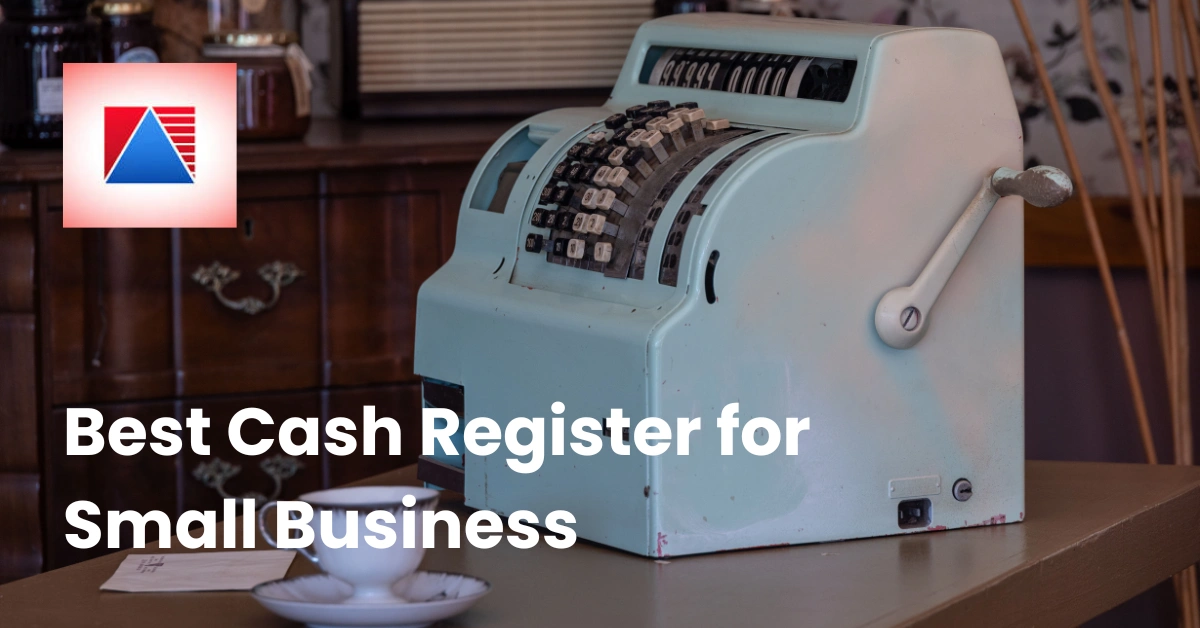
The best cash register for a small business is one that fits how you actually sell, and that is BIR-compliant. For most small businesses in the Philippines today, that means a point-of-sale (POS) system rather than a basic standalone register, because a POS handles payments, receipts, inventory, and reports in one place.
I learned how much this matters from a friend who runs a small gift shop in Quezon City. For her first year she used a basic register and a notebook. It was fine until a Christmas weekend, when the line stretched out the door, she lost track of which items were almost sold out, and she spent Sunday night squinting at handwritten receipts to figure out what she'd earned. The register wasn't broken. It just wasn't built for the way her shop had grown.
In this guide, we'll walk through what a small business really needs from a register, why BIR accreditation matters, the main types, the features worth paying attention to, what it all costs, and a simple way to choose. By the end, you'll know what to look for and what to skip.
What a Small Business Actually Needs From a Register
Back in the day, a cash register did one job: ring up the sale and pop open the drawer. Today, owners expect a lot more. A good register should help you:
- Take payments by cash, card, and e-wallet
- Print or send receipts
- Track what you sold and when
- Keep your records ready for tax reporting
- Keep an eye on stock
That's why "cash register" and POS system are now used almost interchangeably. The hardware may look similar, but what's happening behind the screen is very different.
Five Questions to Answer Before You Shop
Before you compare anything, get clear on these:
- What do you sell? Products, services, food, or a mix?
- How many sales a day? A few dozen or a few hundred?
- Where do you sell? A counter, tables, a mall kiosk, a stall, online?
- How many people use it? Just you, or a whole team?
- Where are you headed? One store now, maybe more branches later?
Your answers narrow the field faster than any feature list. If you're still shaping your business plan, the Department of Trade and Industry has resources for small business owners, including guidance on registering and growing your business.
Why BIR Accreditation Matters
Here's the part that surprises a lot of first-time owners: in the Philippines, the machine that records your sales isn't just a convenience. It's tied to how you report your income and taxes. That's why choosing a BIR-accredited system matters from day one.
What It Means in Plain Language
A BIR-accredited POS is one that has been vetted to meet the Bureau of Internal Revenue's requirements for recording sales and supporting tax reporting. In practice, it helps keep your sales transactions and records organized, so reporting is less of a scramble. The Bureau of Internal Revenue publishes the current rules and updates.
The Risk of Skipping the Check
I once heard from a café owner who bought a bargain machine from an online seller. It rang up sales just fine, but it wasn't accredited, and she ended up having to replace it before she could operate properly. The "savings" disappeared fast, and she lost weeks of setup time. It's a painful lesson that's easy to avoid by checking first.
How to Check a Provider
Before you buy, ask any provider directly whether their system is BIR-accredited, and ask to see their accreditation details. Divergent POS, for example, is a BIR-accredited provider and explains its accreditation on its BIR accreditation page.
(Editor's note: confirm the latest BIR POS and e-invoicing requirements before publishing, since these rules can change.)
Types of Cash Registers and POS Systems
Not all registers are built the same. Here's a quick look at the main options and their trade-offs.
| Type | Best for | Strengths | Trade-offs |
| Basic electronic cash register | Very small shops with simple sales | Simple, works offline, easy to learn | Limited reporting and inventory features |
| Traditional POS terminal | Busy counters and restaurants | All-in-one hardware, fuller features | More setup and a bigger upfront commitment |
| Tablet-based POS | Cafés, boutiques, growing shops | Flexible, compact, easy to update | Needs good device care and a plan for outages |
| Mobile card reader | Bazaars, pop-ups, side businesses | Minimal and portable | Few features beyond taking payments |
| Self-service kiosk or handheld | Busier venues | Shorter lines, tableside ordering | Usually an add-on, not a starting point |
Which One Fits Most Small Businesses?
For most small businesses that sell more than a handful of items a day, a tablet-based or terminal-based POS is the sweet spot. You get sales tracking and payment handling without needing a big technology budget. A basic register still makes sense if you sell a few fixed items and only need to ring up cash, but remember to check whether it meets BIR requirements for your business.
Cash Register vs. POS System: What's the Difference?
A cash register records sales and holds your cash. A POS system does that and then some: it processes payments, tracks inventory, produces reports, manages staff, and often connects to other tools.
Think of it this way. A cash register tells you what happened at the till. A POS system helps you understand why and what to do next. If you're wondering what the hardware side looks like, browse the POS hardware options, which include printers, cash drawers, scanners, and tablets.
When a Basic Register Is Still Enough
A simple register can be a fine choice if:
- You have a small, fixed range of products
- Most customers pay in cash
- You don't need detailed reports
- You're a one-person operation with no plans to expand
When You'll Outgrow It
Most owners start to feel the squeeze when they hit one of these moments: more digital payments than cash, a growing product list, a second employee, or the first time they can't tell what's selling. My friend's gift shop hit all four in a single holiday season. Once she switched to a POS, the first thing she said was, "I can finally see my business."
Key Features to Look For
Feature lists can get long and confusing. Here are the ones that tend to matter most for small businesses.
Flexible Payment Channels
Customers pay in every way imaginable: cash, cards, and e-wallets. Your system should handle them smoothly and securely. It also helps to understand how digital payments are regulated, and the Bangko Sentral ng Pilipinas is the place to start.
Inventory Tracking
Knowing what's in stock saves you from two nightmares: running out of your best seller and overbuying what doesn't move. Good inventory management tracks stock levels and movements, and sends low-stock alerts before shelves go empty.
Reports and Analytics
This is where a POS earns its keep. Daily sales, best sellers, busy hours, and performance reports turn guesswork into decisions. Clear reports and analytics mean you can spot a slow day or a star product at a glance.
Staff Attendance
If you have a team, tracking who came in and when matters for payroll and fairness. Divergent POS, for example, records staff time-in and time-out with selfie verification, which keeps attendance records honest.
Offline Mode
Internet outages happen, especially during storms and busy mall hours. A system that keeps taking orders and syncs later can save your afternoon. I once watched a market vendor lose nearly an hour of sales because his reader needed a signal he didn't have. Ask any provider exactly how their system behaves offline. Divergent POS keeps you selling without internet and syncs your data once you're back online.
Multi-Branch Setup
Even if you have one store today, think about tomorrow. A system that lets you manage several branches under one account and see unified reports saves you from rebuilding everything later.
Online Selling
If you want to sell online, look for a system that connects your in-store and web sales. Some providers, Divergent POS included, offer a free online store so you can showcase products and accept orders anytime.
Ease of Use
The best feature is the one your team will actually use. If training takes more than a shift or two, that's a warning sign.
Best Register Setups by Business Type
The "best" register looks different depending on what you sell. Here's how it tends to break down.
Cafés and Coffee Shops
Speed is everything. You want quick item buttons, easy modifiers (extra shot, oat milk), and fast payments to keep the morning line moving. A dedicated café POS is built around exactly those needs.
Restaurants and Bars
Here you need table management, split checks, tabs, and orders that go straight to the kitchen. A restaurant POS ties the front of house and the kitchen together so nothing gets lost in translation.
Retail Shops and Groceries
Barcode scanning, product variants, and accurate stock counts are the priority. A retail POS keeps inventory honest and speeds up checkout, whether you run a boutique or a small grocery.
Salons, Spas, and Laundry Businesses
Service businesses often need checkout that handles services and products together, plus clear records of who paid for what. Look for a system that offers setups for these industries instead of forcing a retail model onto a service business.
Pharmacies and Specialty Stores
Stores that carry regulated or high-value items benefit from tight inventory control and a clear audit trail. Ask any provider how they handle stock tracking and activity logs for your type of business.
What a Cash Register Really Costs
Prices vary so widely that any single number would mislead you, so here's how to think about cost instead. The sticker price of the hardware is only one piece.
The Main Cost Categories
- Hardware: terminal or tablet, receipt printer, cash drawer, scanner
- Software: often a plan that fits your business size
- Payment fees: charges that may apply to digital payment channels
- Setup and training: time, and sometimes a one-off fee
- Support: what's included and what costs extra
To see how Divergent POS plans are priced, check the pricing page.
Hidden Costs to Watch For
Read the fine print on contract length, add-on modules, and what happens if the hardware needs replacing. And don't forget the cost of getting it wrong: a system that isn't BIR-accredited can mean paying twice.
A Simple Way to Compare
Add up hardware, software, and estimated fees over one to three years for each option, using your own sales volume. The cheapest system on day one is not always the cheapest by year two.
How to Choose: A Step-by-Step Guide
Here's a simple process you can follow without getting lost in the details.
- Define your needs. Use the five questions from earlier, then list your must-haves and nice-to-haves.
- Set a realistic budget. Include ongoing costs, not just the upfront price.
- Confirm BIR accreditation. Ask for it up front, before you look at anything else.
- Shortlist two or three options. More than that and you'll stall.
- Ask for a demo. Seeing the system run with your own products or menu tells you more than any brochure.
- Plan the switch. Decide how you'll move your data, train your staff, and pick a go-live date that isn't your busiest weekend.
If you'd like a sounding board, the DTI Negosyo Center offers support for small entrepreneurs, and fellow business owners are often happy to share what worked for them.
One more tip from experience: always test with real scenarios. When my friend finally picked her POS, she ran a mock Saturday rush with her sister playing the customer. They found two settings that would have caused chaos on opening day. Ten minutes of practice saved a painful morning.
Common Mistakes to Avoid
A few missteps come up again and again.
- Buying on price alone. The cheapest option can cost more once limits and extra fees add up.
- Skipping the BIR check. A non-accredited machine can mean replacing it later.
- Ignoring offline needs. Outages happen, so know what your system does without internet.
- Choosing something you'll outgrow. If you plan to add staff, products, or branches, pick a system that can grow with you.
- Skipping training. Even a simple system needs a quick walkthrough for everyone who uses it.
- Locking in too soon. Ask for a demo before you commit.
Frequently Asked Questions
What is the best cash register for a small business?
There's no single best option. The right one depends on what you sell, how many sales you handle, and where you're headed. For most small businesses, a BIR-accredited POS system offers the best balance of features and simplicity.
Do I need a POS system or just a cash register?
If you sell a few fixed items and mostly take cash, a basic register may be enough. If you take digital payments, manage stock, or want sales reports, a POS system is usually the better fit.
Does my register need to be BIR-accredited?
In the Philippines, the system you use to record sales is tied to tax reporting, so you should confirm what applies to your business. Check the latest rules with the BIR and ask any provider for their accreditation details.
Can I use a tablet as a cash register?
Yes. Many POS systems run on tablets paired with a receipt printer and cash drawer. Check that the software supports the accessories you need.
Do cash registers work without the internet?
Basic registers do. Many POS systems also have an offline mode that keeps selling and syncs later, but features differ, so ask before you buy.
Can a cash register track inventory?
Basic ones generally can't. POS systems usually can, tracking stock levels and sending low-stock alerts.
Final Thoughts
The best cash register for your small business is the one that fits how you sell today, keeps you BIR-compliant, and leaves room to grow tomorrow. Start with your own needs, check accreditation, compare the types, weigh the real costs, and test before you commit. Do that, and the choice gets a lot less stressful.
Ready to See What the Right System Can Do?
If you're ready to move beyond a basic register, a BIR-accredited POS built around your business can simplify payments, inventory, and reporting in one place.
Book a demo with Divergent POS and see how it fits your setup.
