


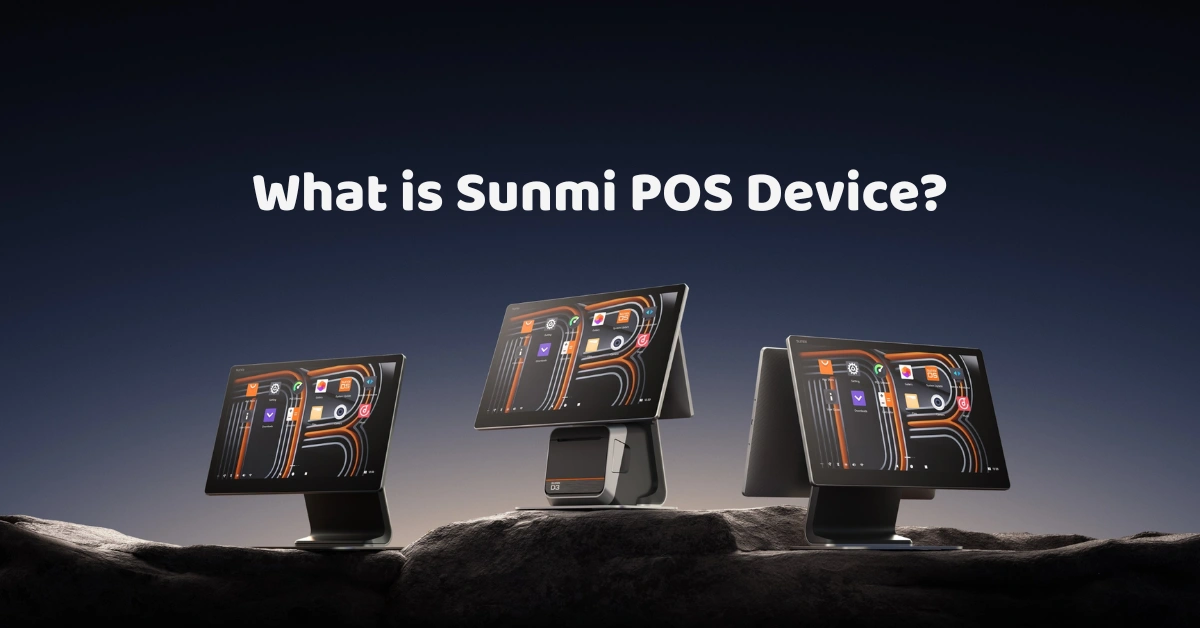
A while back, I overheard two shop owners comparing notes at a trade show. One said, "We use Sunmi for our POS." The other nodded, then asked, "Oh nice, how much is the monthly subscription?"
The first owner paused. "...For the device? There isn't one."
That little mix-up is more common than you'd think. People hear "Sunmi" and assume it's a POS software, when it's actually a hardware brand. Once you understand that difference, shopping for a POS gets much easier. So let's walk through what Sunmi POS devices are, what the different models do, and how to figure out which one belongs at your counter.
What Are Sunmi POS Devices?
Sunmi POS devices are Android-based point-of-sale terminals made by a company called Sunmi. Their product range covers handheld terminals, countertop all-in-one machines, interactive displays, kiosks, printers, and accessories for retail and hospitality businesses.
In plain English, a Sunmi device is the physical thing you tap, scan, and print from. It's the screen at your counter or the display your customers interact with. The part that actually runs your menu, tracks your stock, and builds your reports is your POS software, which is a separate piece of the puzzle.
Think of it like a smartphone. The phone is the hardware, and the apps are what make it useful. A Sunmi device works the same way.
Why Android Matters
Sunmi devices run on Android, the same operating system many of us already use on our phones. That brings a few real advantages:
- Familiarity. Your staff probably already know how to swipe, tap, and navigate an Android screen, so training is quicker.
- App flexibility. Many POS and business apps are built for Android, which gives you more options.
- Easy updates. Android-based devices are generally simple to keep current.
If you want to know more about the platform itself, Android's official site is a good place to start.
Meet the Sunmi Family
Here's where it gets interesting. Sunmi doesn't make just one POS. It makes several families of devices, each built for a different kind of workday. Specs and availability change from time to time, so always check the latest details before buying, but here's the general lay of the land.
Handheld Terminals
Sunmi's handheld range is built for moving around, usually with a built-in printer. They're about the size of a large phone, which makes them great for table-side ordering, delivery riders printing receipts at the door, market stalls, and pop-up events.
I once chatted with a café owner who swapped one fixed counter for two handhelds during her weekend rush. Her line, which used to snake out the door, moved faster simply because staff could take orders and payments while people were still queuing. She told me the best part wasn't the technology. It was that her team stopped shouting orders across the room.
Compact All-in-One Terminals
Some Sunmi terminals pack a touchscreen and a printer into one tidy unit, so there are fewer cables and less clutter. They suit small counters, boutiques, and quick-service shops where space is tight.
Desktop POS: The D3 Range
The D3 range is built for fixed checkout stations, from compact counters to busy, big-screen setups. You'll see the D3 Mini, the D3, and a dual-screen version, and we'll look at each of them below.
Interactive Displays: The Flex 3
For businesses that want a big, flexible touchscreen, the Flex 3 is a modular interactive display that works for point of sale, self-service, and even kitchen displays. More on that in a moment.
Printers and Accessories
A POS device is only as useful as the gear around it. Receipt printers, scanners, cash drawers, and extra paper rolls all matter. Before you commit, make sure you know what's included and what you'll need to buy separately. You can browse the wider range of POS hardware to see how these pieces fit together.
Four Sunmi Devices Worth a Closer Look
Family names are helpful, but sooner or later you'll be looking at actual model names. Here are four Sunmi devices, what they're known for, and who they suit. Double-check the specs for the exact version you're buying, because they can vary by region and release.
1. Sunmi D3 Mini: The Space-Saving Desktop Option
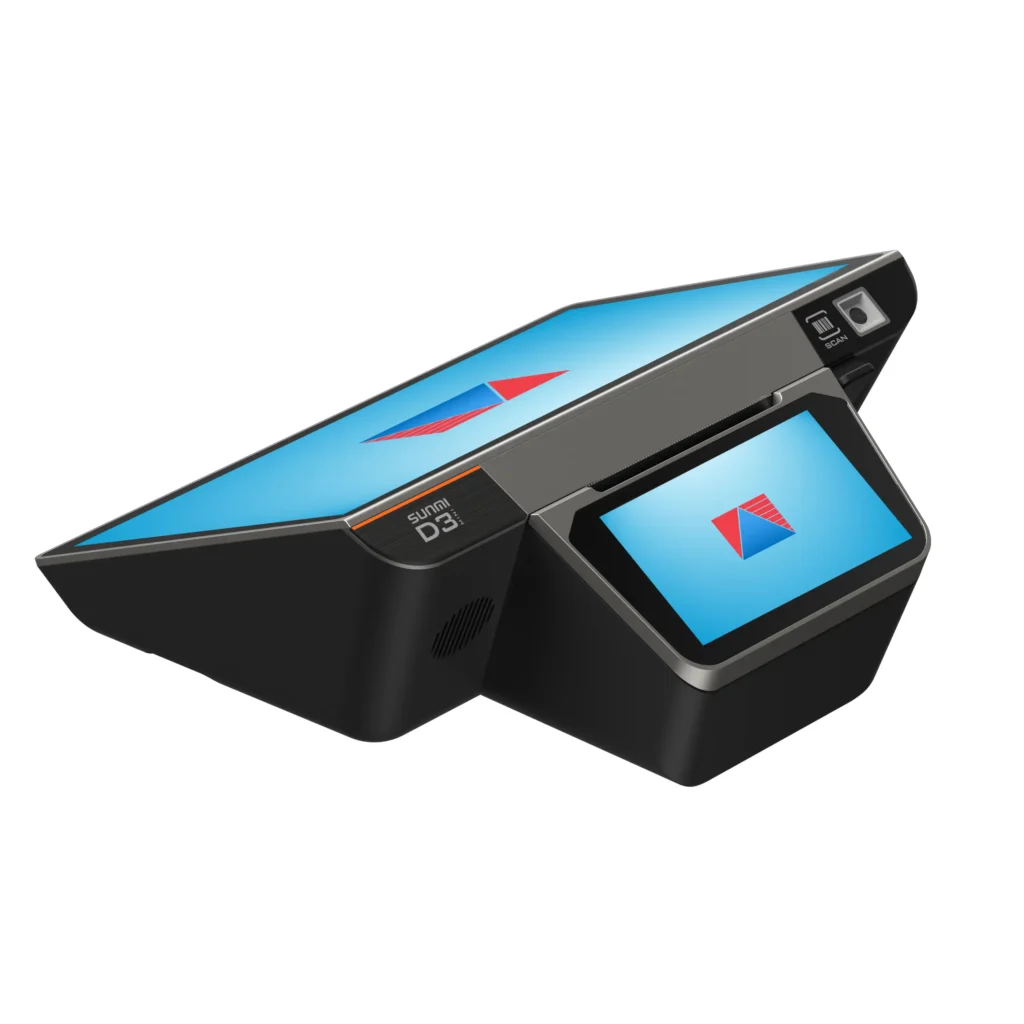
The D3 Mini is a smaller desktop POS that's often suggested for tight counters where a full-size terminal would feel like a squeeze. You still get a fixed, stable checkout station, just without hogging the workspace.
Best for: small retail counters, kiosks, boutiques, and compact checkout areas.
2. Sunmi D3: The Reliable Counter Workhorse
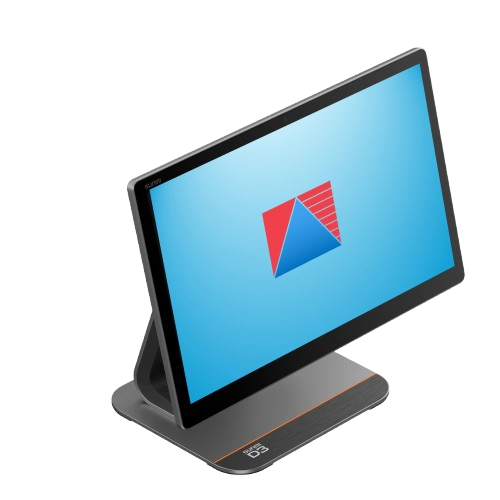
The D3 is a full-size Android desktop POS terminal, commonly listed with a built-in 80 mm receipt printer. With a big touchscreen of around 15.6 inches, it gives your cashier plenty of room to see items, totals, and menus at a glance. It's the kind of device that feels right at home at a busy counter.
Best for: supermarkets, restaurants, larger retail counters, and any business that handles a steady flow of customers.
3. Sunmi D3 Dual Screen: Built for Customer Transparency
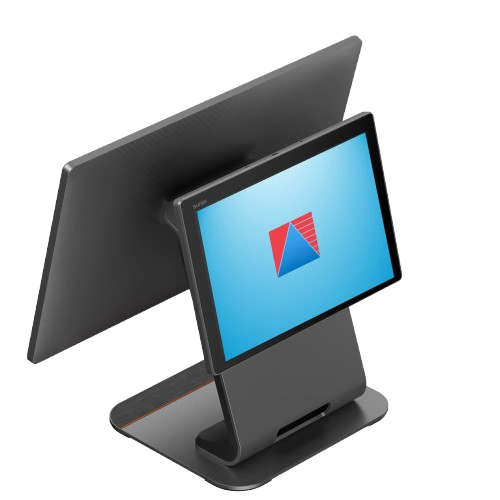
The dual-screen version of the D3 adds a second, customer-facing display, typically around 10.1 inches, on top of the main cashier screen. Your customers can watch their order and total build up as you ring things in, which cuts down on those "wait, what did I get charged?" moments and builds trust at the counter.
If you'd like to see how that kind of setup looks in practice, check out this POS dual screen option.
Best for: restaurants, cafés, retail stores, and any business that wants a more transparent, professional checkout experience.
4. Sunmi Flex 3: The Flexible Interactive Display
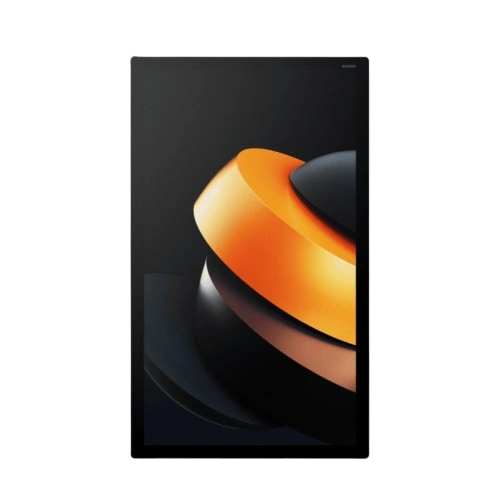
The Flex 3 isn't your typical countertop terminal, and that's the point. It's a modular, touchscreen display that comes in three sizes: 18.5, 22, and 27 inches. It runs Android and offers features such as NFC, Wi-Fi, and a bright full HD screen. There's even a version designed for kitchen display use.
Because it's modular, you can pair it with different stands, printers, and scanners to build the setup you need. A smaller screen fits tighter counters, while the larger sizes work nicely for restaurants where staff need more room to see orders.
Best for: restaurants running a kitchen display, self-service and order-taking stations, and retailers who want a bigger, more customizable screen.
What Makes a Sunmi Device "Smart"?
You'll often hear Sunmi described as "smart POS." Here's what that really means in day-to-day use.
Built-In Printer and Scanner
Many models come with a printer built right in, and some include a barcode scanner. That means one less thing to plug in, buy, or lose.
Flexible Connectivity
Depending on the model, you may get Wi-Fi, 4G, and NFC for contactless payments. Handhelds with mobile data are especially handy if you're away from reliable Wi-Fi, like at an outdoor event.
Built for Busy Environments
Sunmi designs many of its devices for real-world use, and some are advertised as drop-resistant. That said, durability varies by model, so check the details for the one you're considering.
Remote Management
Some Sunmi devices can be managed remotely, which is a lifesaver if you run multiple branches. Instead of visiting each store to update settings, you can handle a lot of it from one place.
Which Sunmi Device Fits Your Business?
Specs are one thing. Real life is another. Let's match the hardware to a few common situations.
The Café or Restaurant
A dual-screen D3 at the counter keeps customers in the loop, while a Flex 3 in the kitchen can show incoming orders. If you run a food business, take a look at how a café POS or restaurant POS setup can work with this kind of hardware.
The Retail Shop With a Fixed Counter
If customers come to you, a D3 or D3 Mini is usually the sweet spot. You get a stable, easy-to-read screen and room for a scanner and cash drawer. For more ideas, here's a look at POS for retail businesses.
The Shop With Very Little Counter Space
I remember a boutique owner whose counter was barely wider than a shoebox. She'd put off buying a POS for years because she assumed it wouldn't fit. A compact desktop model like the D3 Mini is exactly the kind of device that solves that problem.
The Multi-Branch Owner
If you run several shops, consistency is gold. Using the same type of device across branches means your team learns once and your support is simpler. If you're in this boat, consider an all-in-one POS device for a uniform setup.
Hardware Is Only Half the Story
Here's the part that surprises many first-time buyers: even the best Sunmi device won't run your business by itself. You need POS software, and it needs to play nicely with the hardware.
Check Software Compatibility First
Before you buy, ask your provider whether their software runs properly on the exact Sunmi model you're looking at. Most Android-based devices support Android POS apps, but compatibility depends on the software and the Android version. Getting this wrong is an expensive mistake, so confirm it in writing if you can.
Good software handles the fun stuff: sales reports, inventory tracking, staff management, and more. You can explore what's possible with these POS software features and the optional POS add-on modules that help you grow.
Don't Forget Compliance
If you run a business in the Philippines, your POS setup needs to meet tax and invoicing requirements. The BIR sets those rules, and they can change, so it's smart to work with a provider that stays on top of them. You can read more about how this works on this BIR accreditation page.
Think About Security Too
You'll be handling customers' payment details, so ask how the setup protects card data. The PCI Security Standards Council publishes the global standards, and it's fair to ask any provider how they approach them.
The Honest Pros and Cons
No device is perfect. Here's a balanced look so you can decide with your eyes open.
What's great
- A wide range of shapes and sizes, from compact counters to large interactive displays
- A familiar Android experience that's quick to learn
- Built-in printers on many models, which keeps your setup tidy
- Options for single-screen, dual-screen, and kitchen display setups
What to watch
- Software compatibility isn't automatic, so check before you buy
- Specs and models change, so what's available today may differ tomorrow
- Support and warranty depend on who you buy from, so choose a seller you trust
None of these are dealbreakers. They're just good reasons to do your homework.
Before You Buy: A Quick Checklist
I'm a big believer in a boring checklist before a big purchase. It's saved plenty of people from regret.
Match the Device to Your Workflow
Do you need a fixed counter, a customer-facing screen, or a kitchen display? That single question usually narrows your options by half.
Confirm Software and Accreditation
Make sure your POS software supports the device and meets any compliance rules for your business and location.
Check Warranty and Local Support
I once heard about a restaurant whose terminal stopped working right before a Friday dinner rush, and the seller's support line didn't open until Monday. Ask what happens when something breaks, and how fast it gets fixed.
Plan for Accessories
Cash drawers, scanners, stands, and spare paper rolls add up. Factor them into your budget from the start.
Look at the Total Cost
The device price is only one part. Add software, setup, training, and support to see the full picture.
Frequently Asked Questions
Is Sunmi a POS software or hardware?
Sunmi is a hardware brand. It makes the physical devices, and you pair them with POS software from a provider of your choice.
Which Sunmi model is best for restaurants?
A dual-screen D3 works well at the cashier station, and the Flex 3 is a good fit for kitchen displays. The best pick depends on how your team works.
Does Sunmi have a built-in printer?
Many Sunmi models do. Some larger displays don't include one, so check the specs for the exact model.
Can I use my existing POS software on a Sunmi device?
Possibly, but it depends on whether your software supports Android and the specific model. Always confirm with your provider first.
Are Sunmi devices good for small businesses?
Yes. The range includes compact, easy-to-use models that suit small shops and cafés, and you can start small and add more devices as you grow.
Final Thoughts
So, what are Sunmi POS devices? They're Android-based terminals and displays in all shapes and sizes, from compact counter units to big interactive screens. The right one can make checkout faster, your team happier, and your day a little less chaotic. Just remember that the hardware is only half the equation, because great software and solid support are what turn a good device into a great setup.
Not sure which device and software combination fits your business? Book a demo with Divergent POS and we'll help you find a setup that works the way you do.
